SatNav,GPS,Navigation
Email Updates
Sign up now to our newsletter alerts (usually weekly).

Future speed camera database releases, hot topics, news and reviews.

Your privacy is important to us, we do not sell email details. Easily unsubscribe.

Enter Your Email
Navigate Our Site

MEMBERS AREA
Subscribe Now
Speed Camera Download
Submit Cameras
Free Competition
Member Discounts
Your Account
Member Forums

PUBLIC GPS FORUMS
Register to Post
Log in to Post
Private Messages
Your Account
Public GPS Forums
FORUMS BY BRAND
POINTS OF INTEREST
Free POIs
Submit POIs

GPS CENTRAL
About Pocket GPS
Contact Pocket GPS
Corporate Enquiries
Free GPS Downloads
GPS Events
GPS Event Blogs
GPS Related FAQs
GPS Reviews
News Archive
Report Piracy
Stolen GPS Register
Submit GPS News
Suggestion Box
Site Map

HELP
Registration Help
Subscription Help
Speed Cameras Help
How GPS Works

SEARCH
Search GPS News
Search the GPS Forums
Google Pocket GPS Search
Pocket GPS
Web

Bookmark & Share!

Click Now to Bookmark and Share Pocket GPS! Click Now to Bookmark and Share Pocket GPS!

Pocket PC Themes

14th December 2002

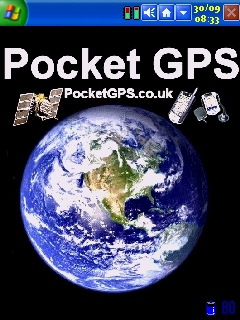
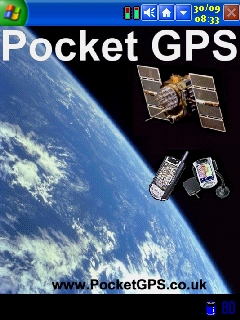
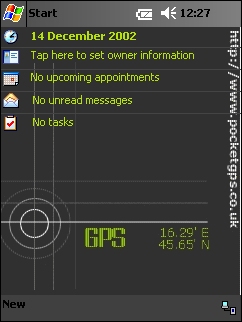
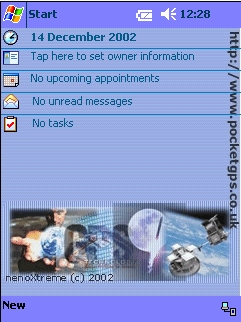
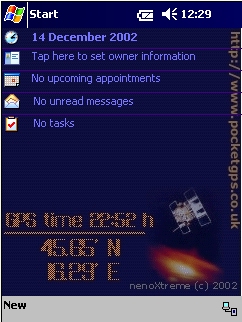
It's only fitting that a Pocket PC related website has some Pocket PC 2002 related themes.  We've created a couple ourselves, and nenoXtreme has created another 4 Today Themes for us.


If there's any graphics designer's out there that would like to show off their skills and design some Pocket PC Themes for us, the themes must include our website url (www.pocketgpsworld.com), and can include our logo as well.


Download Theme

Designed by: Dave Burrows

Download Theme

Designed by: Dave Burrows


nenoXtreme's Pocket PC 2002 Themes

Download Theme

Designed by: nenoXtreme

Download Theme

Designed by: nenoXtreme


Download Theme

Designed by: nenoXtreme

Download Theme

Designed by: nenoXtreme


Okay, so you think you can do better than these ?  If so, email us your TSK file, or if you don't have a Pocket PC Theme creator tool, send us the picture in JPG format and we'll convert it for you.


If any of you are wondering what Taskbar theme we're using here, it's the Icbar with the Windows XP Skin by Chairman Clench.


Download Instructions for Pocket PC Themes

If you would like to download any of the themes above, right click on the theme and click SAVE TARGET AS and save them to your Desktop.  Once saved, you can copy these to your Pocket PC by using the ActiveSync (EXPLORE) button and navigating to MY POCKET PC, WINDOWS and copying the POCKETGPS1.TSK and POCKETGPS2.TSK files into this directory. 


Configuring the Themes on the Pocket PC

Once on your Pocket GPS click on START, SETTINGS, TODAY and choose either POCKETGPS1 or POCKETGPS2.


Viewing the Themes on the Pocket PC

Click START, TODAY


Comments ?

Have any comments about this review ?  Post them here.

GPS Shopping