|
i-gotU GT-600 GPS Travel and Sports Logger Review |
15th March 2010 |
|
Review by Lutz Bendlin
 Last year we reviewed the i-gotU GT-200e, a Bluetooth enabled data logger with a generous 64MB onboard memory. While we did like some aspects of the device (like the waterproof design and the large memory) we also raised some issues (like the misdesigned main button, and the so-so battery life).
MobileAction have asked us to review the successor device, the i-gotU GT-600 which comes without a Bluetooth radio but instead adds a motion detector. Let's see how the new model fares.
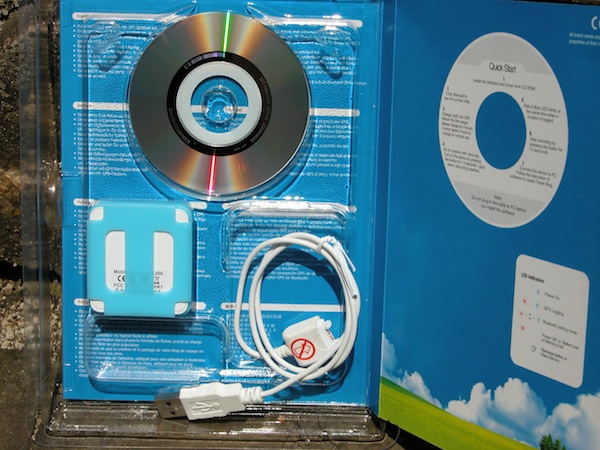
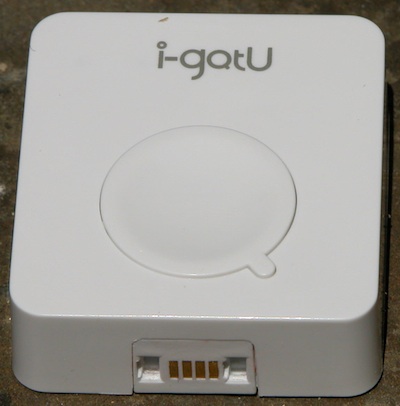
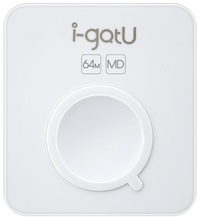
The only obvious physical difference between the two devices is the additional "MD" stamp on the front of the GT-600. Everything else is the same on the outside of the data logger, and the blister pack for the retail sale is also nearly identical. So if you want to know about the physical characteristics of the GT-600 please check out our previous review.
Since the device is fully sealed I could not look inside to see what kind of motion sensor is built in. However, giving it the shakes does not reveal any rattle, so I put my money on a gas based electronic motion detector. It certainly is sensitive. Mostly this is a good thing. It is only a slight problem when you have a scenario of a car parked on a busy road. The more sensitive motion sensors tend to be triggered by any passing car. That's not too good for the battery runtime.
Of course - battery runtime. That's one of the main ideas behind the motion sensor after all, right? The GT-200e lasted for a day or so, and the MobileAction marketing promises a "20% improvement in battery runtime" for the GT-600. I don't really know what they base this 20% claim on but I have seen a much more dramatic improvement. In fact it took me a WHOLE MONTH (in the default log mode) to run the battery down, with a daily use of about 90 minutes.
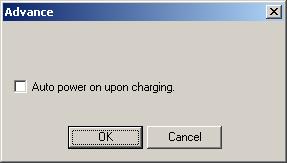
One of the complaints with the GT-200e was that the data logger would not work in "black box" mode (ie it would not switch on when external power is applied, making it unsuitable for use as a permanently installed car travel recorder). I am glad to see that the GT-600 now supports the "black box" mode, although selecting "Auto power on upon charging" will disable the motion sensor. The circular buffer will guarantee that you always have the most recent track data available. If the memory is full the data logger will overwrite the oldest data.
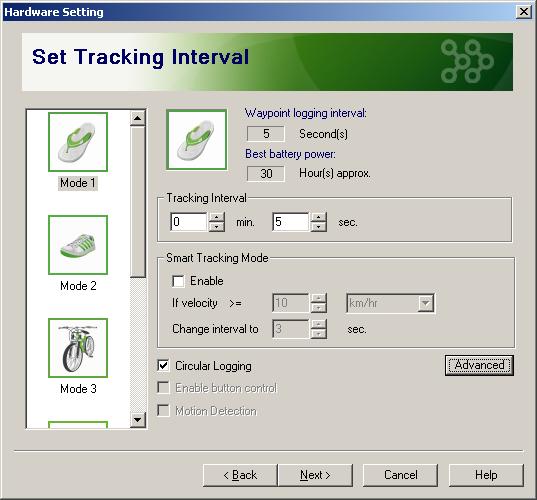
The other major concern from our previous review was about the large button on the front of the data logger being way too easy to press inadvertently. More often than not instead of recording a great track I would just be carrying a switched off little white gadget around needlessly.
No longer - the new "Enable button contol" setting fixes that issue. The setting is kind of a misnomer as we want to disable the button rather than enable it, but hey, it works. Uncheck the box and the GT-600 will no longer react to ANY button presses.

The caveat here is that the photo tagging option (ie marking the waypoint where you take a picture) won't be available any more either. While I could think of a compromise (for example the button could still react to short presses but not to long presses) this is a small price to pay for a huge improvement in overall usability.
The Bluetooth option (or rather its absence) does probably also contribute to the improved battery performance. Nowadays the need for a dedicated Bluetooth receiver is less urgent (although the receiver's sensitivity would make it a useful addition for a weak built-in GPS that we see in many of the modern smartphones).
New software in the @Trip suite
There are two new applications included in the @Trip PC suite (still no support for OSX or Linux, sorry). One is a "Where I Am" little widget which allows you to display your current location on a Google or Bing map in a browser (by simply constructing the appropriate URL website address including your location).
The other new application is called "Sports Analyzer" and allows you to look at the collected data more from a sports perspective rather than the travel based reporting of the original @Trip PC program.
I took the data logger on a small hike with me the other day, so I selected the "Climbing" option.

This will then import the log from the device as usual, and slice and dice the data in a way that hopefully helps you to improve your performance (or at least lets you marvel at the numbers).

The graph can be shown as altitude over time, speed over time, altitude or speed over distance etc.
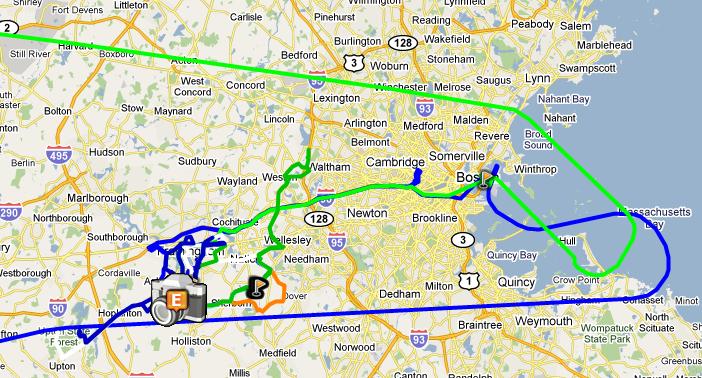
The track looks a bit edgy but the actual raw data has all the details in 5 seconds intervals. There's probably a setting somewhere where you can set the display granularity - or you could simply use another program for visualisation of the track. The GPS receiver sensitivity seems to have improved a bit too, as the device was able to hold on to a fix while being tucked away in a shirt pocket on two recent flights.
Conclusion
Both the motion detector and the possibility to block the button are very welcome new features of the GT-600. Especially the motion detector provides for a dramatic improvement in usefulness over the GT-200e.
Round Up
Pros
- small and light, waterproof
- large memory with circular buffer
- motion sensor improves battery life
- blackbox mode
- button can be locked
Cons
- uses custom USB cable
- button lock also disables waypoint marking
- @trip suite does not work under OSX/Linux
- expensive compared to other data loggers
References & Links:
| Comments
|
 Posted by chipmonk on Mon Oct 03, 2011 10:38 am Posted by chipmonk on Mon Oct 03, 2011 10:38 am |
 |
Hi m8,good report thanks
Hi am looking to buy one to track my car,not a nice thought but now essential .
would the log file show clear street info like withing say 5 houses using google or auto route and could I leave it in the car for say up to a week as the car only travels very few miles a day
thanks for any help
|
|
| Posted by lbendlin on Wed Nov 09, 2011 11:15 pm |
|
It won't give you street addresses - you will have to look that up on the map yourself.
Yes on the other question - the motion detector allows you to leave the device in the car for a long time, especially when it is not moved much.
Take note that this is not a real time tracker - so if someone nicks your car this won't help. it's more of a "where on earth did my daughter go and why so fast?"
Lutz
Report Map Errors here:
TomTom/TeleAtlas NAVTEQ |
|
|
|