SatNav GPS
Email Updates
Sign up now to our newsletter alerts (usually monthly).

Future speed camera database releases, hot topics, news and reviews.

Your privacy is important to us, we do not sell email details. Easily unsubscribe.

Enter Your Email

Navigate Our Site

MEMBERS AREA
Subscribe Now
Speed Camera Download
Submit Cameras
Free Competition
Member Discounts
Your Account
Member Forums

PUBLIC GPS FORUMS
Register to Post
Log in to Post
Private Messages
Your Account
Public GPS Forums
FORUMS BY BRAND
POINTS OF INTEREST
Free POIs
Submit POIs

REVIEWS & ARTICLES
Full Listing
[+] Apple
[+] Article
There is No Silver Bullet Accurate Traffic Information Requires Multiple Data Sources : Jul08

PocketGPSWorld.com Active Speed Camera Statistics : Jul08

Pocket GPS Terminology : Dec07

Galileo European GPS Constellation Gets Go Ahead : Nov07

A Day in The Life of a PocketGPSWorld.com Verifier : Nov07

Nikon D300 and D3 GPS enabled cameras : Nov07

The Ordnance Survey have 4 million POIs : Nov07

3,2,1 Liftoff... The latest GPS Satellite is successfully launched into orbit : Oct07

Mike's Muses: Diving with GPS? : Mar07

[+] Binatone
[+] Blaupunkt
[+] Brodit
[+] Carcomm
[+] CoPilot
[+] Destinator
[+] Directions Ltd
[+] Event
[+] Evermore
[+] Fugawi
[+] Garmin
[+] Globalsat
[+] Holux
[+] Intellinav
[+] Krusell
[+] Magellan
[+] Mapopolis
Mapopolis 4.71 review : Jun06

[+] Memory-Map
[+] Mio
[+] Nav N GO
[+] Navigon
[+] Navman
[+] Navteq
[+] Other
[+] Otterbox
[+] Qstarz
[+] Route66
[+] Royaltek
[+] Satmap
[+] TomTom
TomTom Announce GO 940 LIVE Connected PND at IFA Berlin : Aug08

Carcomm x20/x30 Cradle CNM-165 : Aug08

TomTom - How to remove cameras Tutorial : Jul08

Speed Camera Voice Alert Collections for Garmin, Route66 and TomTom : Jun08

Customise your GPS/SatNav : May08

TomTom Navigator Custom Cursors : Apr08

Speed Camera Icons by GerryC : Feb08

Speed Camera Voice Alert Collections for TomTom and Route66 : Feb08

Speed Camera Voice Alert Collections for TomTom and Route66 : Feb08

TomTom GO 920T In-Depth Review : Jan08

Pocket GPS UK Safety Camera Database - TomTom Go/Rider/One - OV2 : Jan08

PocketGPSWorld Safety Camera Database - TOMTOM GO 910, x20 and x30 : Jan08

PocketGPSWorld Speed Camera Database - TOMTOM Navigator 5 & 6 : Jan08

TomTom NavCore 7.2 Device-Dependent Feature List : Oct07

TomTom Version 7 : Mapshare Moving a POI : Jun07

TomTom Version 7 : Map Share blocking/unblocking a road : Jun07

TomTom Bluetooth Remote Control Review : Jun07

TomTom Cannes Announcement report : Jun07

Publishing real time TomTom journey information on the internet : Oct06

TomTom One New Edition second thoughts : Oct06

TomTom Compatibility matrix for program builds and map versions : Sep06

TomTom One New Edition first thoughts : Aug06

Inside the TomTom GO 910 : Jul06

TomTom RIDER Review : Jan06

TomTom ONE Review : Jan06

TomTom 510 710 910 Overview : Jan06

TomTom RIDER Scooter Install : Jan06

PocketGPSWorld.com POICapture for TomTom 5 by Lutz Bendlin : Nov05

PocketGPSWorld.com POICapture for TomTom 5 by Lutz Bendlin : Nov05

PocketGPSWorld.com POICapture for TomTom GO by Lutz Bendlin : Nov05

Glarestomper II for TomTom GO review : Oct05

TomTom MK-II Bluetooth receiver review : Oct05

TomTom MK-II Bluetooth receiver review : Oct05

[+] Trimble
[+] ViaMichelin
[+] Wonde Proud

GPS CENTRAL
About Pocket GPS
Contact Pocket GPS
Corporate Enquiries
Free GPS Downloads
GPS Events
GPS Event Blogs
GPS Related FAQs
GPS Reviews
News Archive
Report Piracy
Stolen GPS Register
Submit GPS News
Suggestion Box
Site Map

HELP
Registration Help
Subscription Help
Speed Cameras Help

SEARCH
Search GPS News
Search the GPS Forums
Google Pocket GPS Search
Pocket GPS
Web


Bookmark & Share!

Click Now to Bookmark and Share Pocket GPS! Click Now to Bookmark and Share Pocket GPS!

GlobalSat DG-100 GPS data logger review Date 24th March 2007

Review by Lutz Bendlin


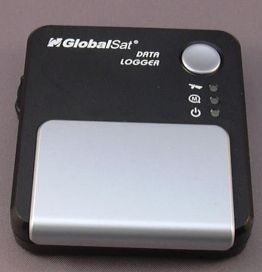
The GlobalSat DG-100 USB data logger is a strange bird. Looking rather square-ish it will certainly not win any prices for good looks, although the overall design is not too shabby either. So, let's look for something else that differentiates this device from the other data loggers on the market.

GlobalSat DG-100 GPS data logger review

Overview

Firstly, this is really mostly just a data logger. It does not have a bluetooth module, and the integrated USB cable is primarily used to transfer the log data, to configure the device, and to charge the batteries. You can use the DG-100 as a USB mouse, but only after standing on your head and waving with one arm. Well, you need to use the data logger program to switch the DG-100 to "G-Mouse" mode and back.


Speaking of the USB cable - it may look a bit strange at first, and you might wonder if it will be dangling loose after a short while. However, Globalsat have cunningly incorporated a little magnet into the body of the DG-100, and this engineering trick keeps the USB cable firmly in place when it is not in use.


picture of the magnet


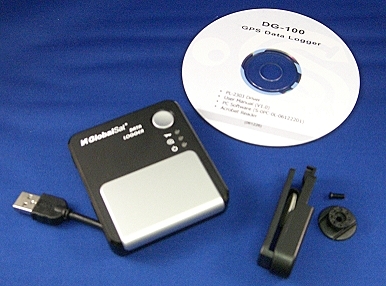
The DG-100 has three LEDs ( GPS status, memory status, power status), a Push-to-log button that doubles as the software power-on button.


Unfortunately the DG-100 does not switch on when external power is applied. This means a permanent in-car installation is not possible.


Switching the device off while connected to USB is not easy either - it is not really clear if you actually managed to switch the device off or not because the LEDs are overridden by the applied power.


Receiver details


The DG-100 is powered by two AA batteries. It comes provided with 2500mAh rechargeable batteries. Fully charged those are good for 24 hours before the low battery warning comes on.


Even then they hold another 8 hours before finally giving in. 32 hours of continuous logging - that sounds pretty good. I also liked the fact that the low battery warning comes relatively early, giving you enough time to react. Stock Alkaline AA batteries will last quite a bit longer. [how long?]


The battery compartment cover is not overly user friendly, and did not survive a little drop (oops) either. Initially I used a tape to hold the cover in place, but fortunately I was able to visit the Globalsat stand at CeBIT and score a replacement cover there and then.


When the unit is dropped it will likely also stop logging because it may switch off (the batteries may lose contact briefly)


On the side of the device is the mode switch. You can select between modes A, B and C. That's very nice but you don't really know what these modes represent until you read the user guide. That user guide is on the provided CD. What this means is you cannot use the DG-100 out of the box - you need to first have access to a computer with a CD drive.


The back of the unit shows the connector for the belt clip. You can either affix the adapter with the provided double sided tape or - less permanent - with a litte provided screw. Carrying the DG-100 on the belt is possible but due to the size of the device this is not overly convenient.
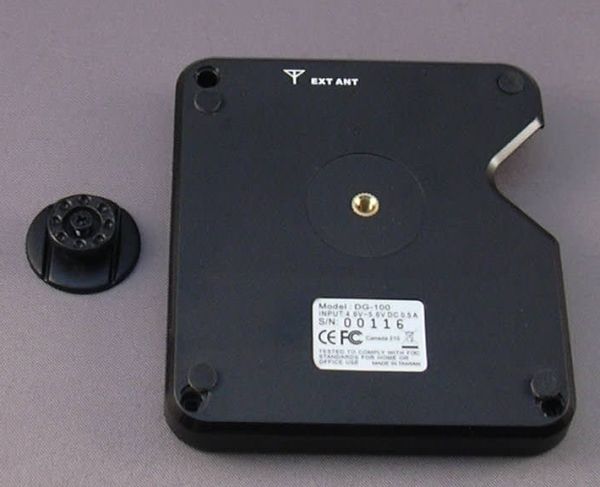
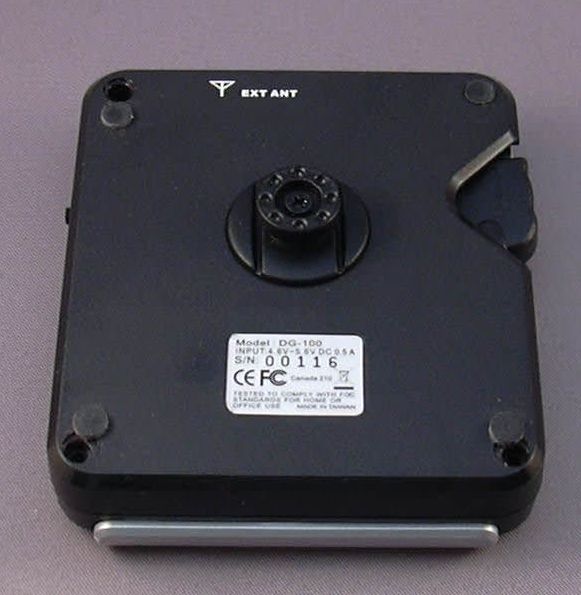


The device uses the SiRF III chipset. Should you for whatever reason want to use an external antenna you can do so by affixing one with a MMCX connector at the top of the DG-100.


The DG-100 is not watertight. If you want to use it in rough conditions make sure to provide appropriate protection in the form of a watertight Otterbox or equivalent.


Specifications

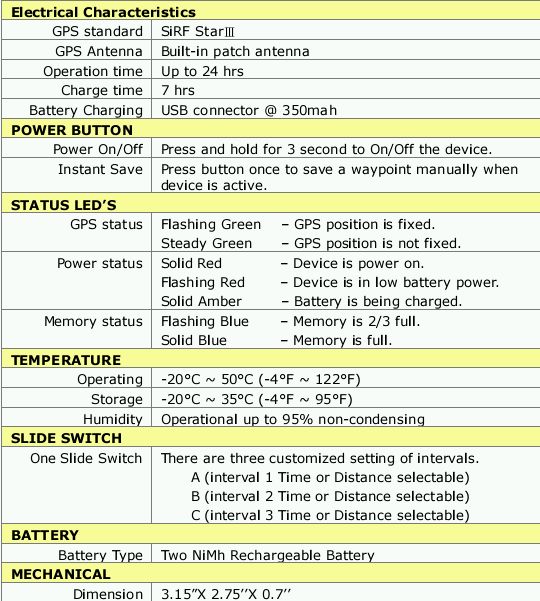
Here are the details that are listed in the user manual. They are not entirely accurate. For example the operation time is understated significantly which is actually a good thing.


Installation


The data logger program comes on the included CD but can also be downloaded from Globalsat's website.
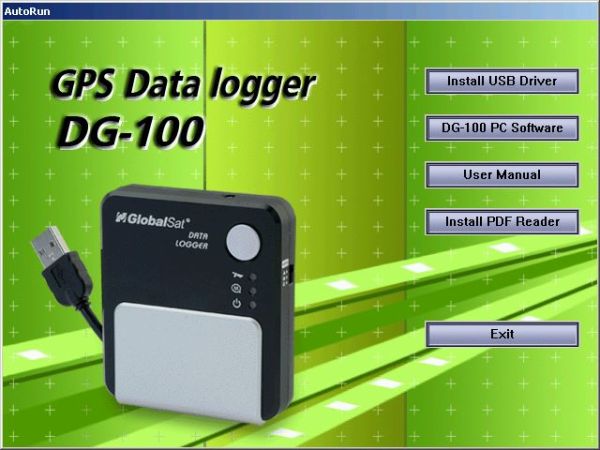


First you need to install the driver for the USB-to-serial bridge.
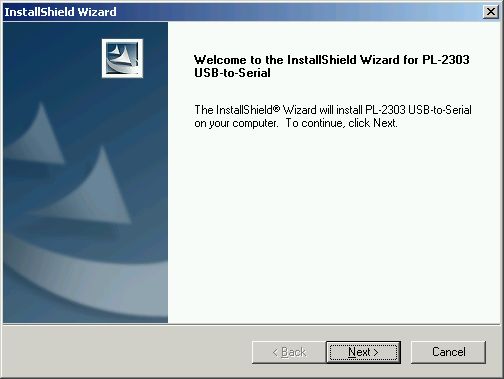


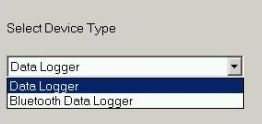
The DG-100 does not use the pretty common Prolific CP210x USB-to-Serial converter. Instead, you need to install the CP230x driver, again either from the web or from the provided CD.


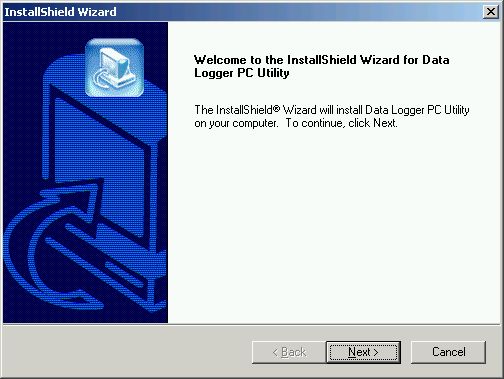
Now you can install the main program.


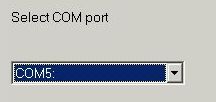
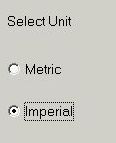
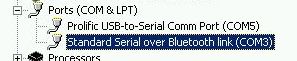
Here you select the COM port that was assigned to the device at the time of installing the CP2303 driver.
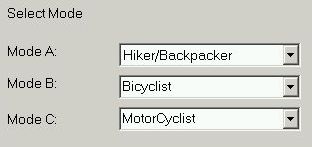


You can rename the modes and change their parameters later.
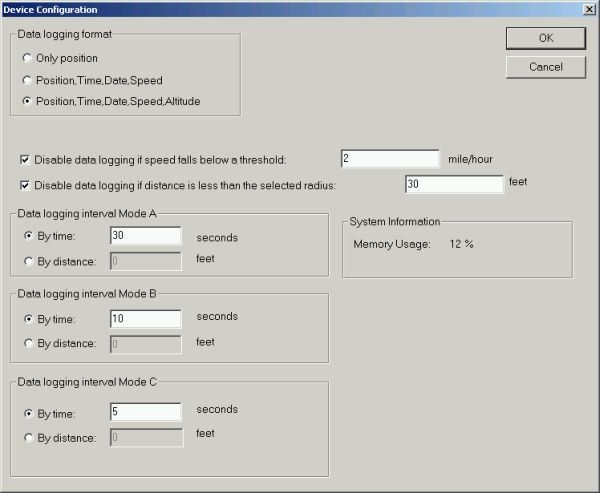


The A,B and C modes can be used to log either by distance or by time. The screen also tells you how much memory is used. Note that there is no option to specify if you want to overwrite old data. When the memory is full, logging will stop. The Memory Status LED will start blinking when the memory gets filled 66%, and will be solid when the memory is full.


I was logging a transatlantic flight, but I selected mode A. I will change the mode to log by distance and specify a smaller distance, otherwise I will never fill up that memory...
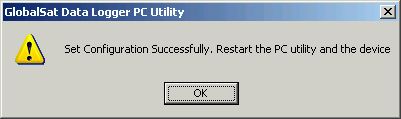


This is one of the weak points of the device - whenever you change settings you need to restart the DG-100. I hope Globalsat can fix that weakness in future versions.


The collected data can then be downloaded from the DG-100 and exported in a number of formats (KML, CSV, Text). Google Earth KML is preferred, however that does not contain the altitude data.
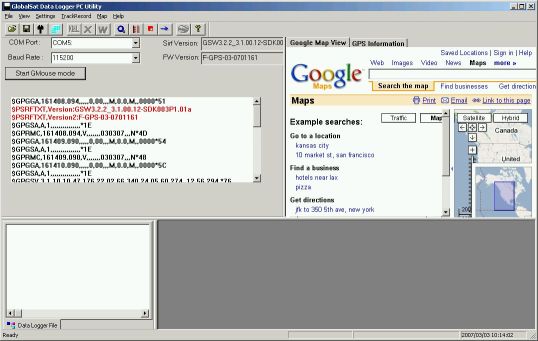


One thing I did not understand is how tracks are separated. One theory is that if the logger loses and regains a fix then a new track is started. I don't think I like that approach - I would want to be able to start a new track by power cycling the device (like it is done on the Wintec WBT-100). But for now you can end up with multiple tracks per journey, and true to Murphy only one track at a time can be exported to Google Earth.
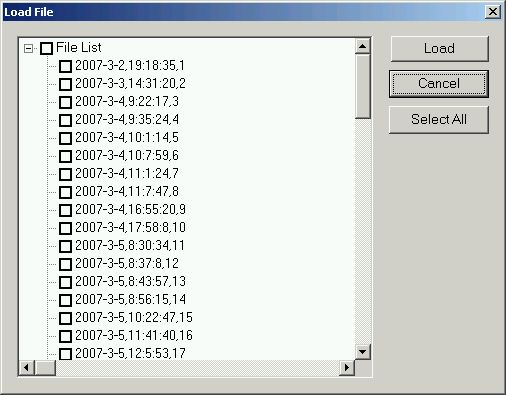


The mode slider is very easy to operate, also inadvertently. Switching between A,B and C will not actually change the logging mode - for the logging to resume with the new parameters you have to power cycle the data logger! This is a sure recipe for confusion and lost data. Mode switching should be seamless, and I hope Globalsat can implement that in a future version.
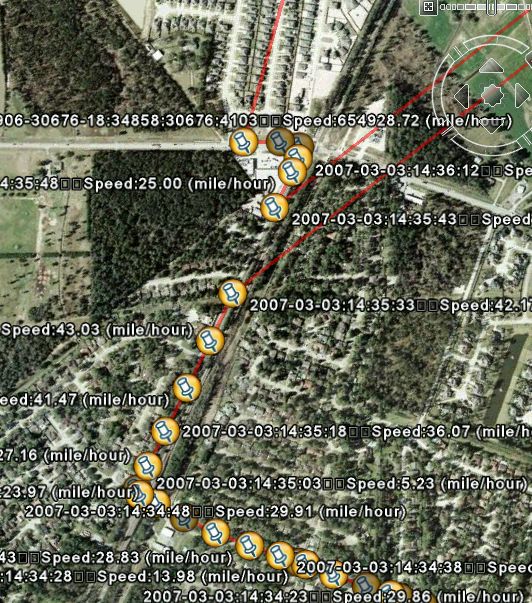

.


Above is an example where I decided to change the logging mode at the top intersection. Instead of logging in the new mode the device simply stopped recording. It also had a rough day, and showed quite a few bogus data points in countries far, far away (Look at that speed!!!). Another - cosmetic - issue can be seen in the pin labels of Google Earth. Globalsat tried to use carriage returns but those are not supported by Google Earth, and come out as squares.


As you can see, altitude information is not included in the KML export - use the CSV export if you need that.


To add insult to injury the device switches off when USB power is applied. This makes it completely impossible to use the DG-100 in a fixed car installation scenario.


Conclusions

The DG-100 has a limited set of functionality, it is primarily a datalogger, only under difficulties can it be used as a USB GPS mouse. The usage of a low power GPS chipset allows uninterrupted logging for 32 hours. Logging can be done in a very flexible way - by distance, by time, or even with a Push-to-log (something most other data loggers are missing). If you are happy with that feature set then the DG-100 is certainly worth considering.


Outlook
What's next? I would expect that future data loggers could be equipped with solar cells to extend the battery life more. Also, an ultra low power (or maybe even mechanical) motion sensor could be fitted to switch the logging off when the device has been stationary for a longer time. The logger would still be in standby mode, with a GSM module powered by the solar cell, so that you could wake it up and configure it via SMS...


Pros

  • SiRFStarIII sensitivity and accuracy
  • Standard AA batteries can be used
  • 32 hours continuous logging, 60000 data points
  • KML, GPX and CSV export

Cons

  • Mode Switching stops logging
  • Difficult to use as USB GPS
  • impossible to use in fixed installation
  • not waterproof


References

Manufacturers Website www.GlobalSat.com.tw
Pocket GPS Contributor

Lutz Bendlin

Pocket GPS Contributor Website

www.Pocketgpsworld.com

   
Resources  


Comments ?

Have any comments about this review ? Post them here.

Ads by Pocket GPS


#1 For GPS & PDAs
Sale! Find the latest 2008 Models in stock. Next day delivery. TomTom, HTC etc...
Handtec.co.uk/SatNav


Evermore GT-800
EverPhoto on Google Earth and Google Map for data logging and navigation
EvermoreGPS.com


TomTom Go 920
Specialists in refurbished Sat Nav & GPS like TomTom GO 920
TotalPDA.co.uk/GO 920


ProClip Car Mounts
Need a safe mount for your hand held device? Order a ProClip, clips on in seconds
ProClipUSA.com


Upgrade Garmin!
Click Here for 5 Superb Ideas for Garmin SatNavs. Free trial downloads!
Roadtour.co.uk


Advertise Here Now!
70 million totally targeted page views of your advert over a full 12 month period
PocketGPSWorld.com


Google Search

Google

Web
Pocket GPS