|
CamerAlert : iPhone Speed Camera Warning System
Article by: Mike Barrett
Date: 7 Feb 2010
Introduction
CamerAlert is a Speed and Red Light Camera warning system based on the world renowned PocketGPSWorld.com Speed Camera Database. It provides both audible and visual warnings as you approach a camera. When you are in a section of SPECs or Average Speed Cameras CamerAlert keeps track of your average speed to ensure you are aware of your average speed between each camera. To cut down on the number of "False Alerts" you are only warned for cameras that monitor your direction of travel.
CamerAlert works in two different modes: Map and List. In Map mode the main display is a map with the cameras positioned on it. This can be shown either as "North Up" or "Course Up". The list mode simply shows a list of all the cameras in the area, highlighting the ones that you are approaching.
CamerAlert comes preinstalled with a Speed Camera Database. To ensure you have the latest camera information we also offer a free Latest Database Guarantee which allows you to download the latest database after product registration. CamerAlert allows you to use your existing PocketGPSWorld.com membership to keep the camera data up to date. With weekly releases of the database it is important to download the latest speed camera information to remain safe.
If you see a camera that is not in the database then you can report it using CamerAlert. This feature can also be used to change information about a camera already in the database i.e. changing speed or direction information. You must register the App to submit cameras.

The CamerAlert application has been designed to work in a number of ways to allow you flexibility in the manner that you use it. It has been designed to operate either with no data connection, GPRS or a full mobile 3G connection. This allows you to control the data costs whilst roaming in foreign countries.
Compatibility
CamerAlert is compatible with iPhone 3G and 3GS models running iPhone OS 3.0 and above. It is not compatible with the original iPhone or iPod Touch.
Installation and Setup
Installation of CamerAlert is simple. There are two ways to do this: directly on your iPhone and via the AppStore in iTunes.
If you have purchased CamerAlert in the AppStore on your iPhone the application will download and install automatically. This will also get transferred to iTunes when you next sync.
If you purchase CamerAlert via the AppStore in iTunes then the application will be downloaded to your local iTunes and will be installed when you next sync with the iPhone.
When CamerAlert has been installed on the iPhone then you are good to go. The installation includes a built in database of camera locations, but this will be one created when CamerAlert was submitted to the Apple App Store and may well be quite a bit out of date.
The initial setup involves registering CamerAlert with PocketGPSWorld.com and downloading your free Speed Camera Database update. To start this process tap on the cog icon at the bottom of the toolbar to enter the setup screen.

This screen is where we configure the different behaviours of the Camera warning System. For now ignore them and just tap on the "Update cameras" button. This will show the following screen:

This identifies the Database versions and the number of cameras both on your iPhone (Device) and the central PocketGPSWorld.com Database. Note that even if you have the 'Latest' database version the camera numbers may be different as the CamerAlert application uses a real time snapshot of the current camera data which will include camera changes additions and deletions that are not in the standard release.
As you can see above I have not yet registered my application with PocketGPSWorld.com. I do this by tapping the "Register at PocketGPSWorld" button. This quits CamerAlert and takes you into Safari where you will see a page similar to the following:

When you register we do not collect any personal information from you in any way. All we do is use your UDID (iPhone's Unique Device IDentifier) to create a basic account unique to your iPhone on our server. We do not require any other information from you to use this service. This basic account is used solely to manage the database access for your iPhone.
Once your iPhone is registered you have the opportunity to link an existing PocketGPSWorld.com account to the iPhone, but this is not a requirement. If you already have a subscription with PocketGPSWorld.com then you can link the account and enjoy the benefits of your membership on the iPhone as well as your SatNav.
NOTE You can only link one iPhone to a PocketGPSWorld.com account. Attempts to link multiple accounts will result in an error.

If you do not have a PocketGPSWorld.com account then this is not a problem as you can subscribe to the service by scrolling further down the post registration page or indeed from within the CamerAlert app. However you do not need to do either to obtain your free Database Download. Simply exit Mobile Safari and restart CamerAlert. Tap on the setup cog icon, then the "Update cameras" button. This should present the following display:

Now you can tap on the "Download database" button and the database download and integration will start. It is advisable to make sure you have a 3G or WiFi data connection when you download the database. If you have a limited data plan then WiFi is the best option. The download and integration will take from 15 seconds on an iPhone 3GS depending on the speed of your data connection.
You may find that the database versions on the server are the same, but the sizes are different. This is because CamerAlert takes a snapshot of the live database which is more up to date than the Server release version.
When your database has been updated you are ready to hit the road and get accurate warnings as you approach speed cameras.
After you have downloaded your free database download you will need to either link to a PocketGPSWorld.com account or use the subscribe at PocketGPSWorld button to visit the site and subscribe using a credit or debit card with our payment provider PayPal.
In Use
The first time you start CamerAlert you will see a screen similar to that below:

This is what we call the "Armchair View". Basically you do not have a GPS position and CamerAlert requires a good GPS location for it to start working properly. This is a feature of the iPhone GPS (and the way GPS itself works). You may get "GPS Fix" inside your house but it will not start to work properly until you get outside in the car which is where it is designed to work.
Of course you can play around with the interface in the comfort of your lounge and get used to its features and functionality, but just do not expect it to work properly.

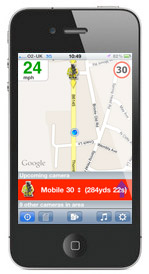
The first thing you will notice is that there is a red logo in the top centre of the screen. This indicates that the GPS has not managed to locate your position yet. When you have a GPS location then this will turn blue as the normal PocketGPSWorld.com logo.
On the left beside the GPS Logo there is the current speed indicator. As you are currently sitting in your armchair this is showing 0. The space to the right of the GPS Logo is where we will display the average speed when you are in a section of road controlled by Average Speed Cameras.
The main display contains the map. When CamerAlert is installed this presents quite a zoomed out view. The normal iPhone pinch gestures zoom the map, spreading zooms in and pinching zooms out. The map can be positioned by moving with your finger and dragging it to the required position.
At the bottom of the screen is the application toolbar with the buttons that control the way CamerAlert works.
The first button is the GPS button which turns the GPS functionality on and off. When it is switched off the system does not update the map position, nor is it able to warn about cameras that you are approaching. You may wish to disable the GPS to allow you to scroll around the map without it being centred on your current position.
The next button is the Average Speed button. This can be used to toggle the status of the average speed display. The average speed display is intended to check your speed between sections of road controlled by Average Speed Cameras such as SPECs. When you enter an average speed camera area the average speed automatically starts and displays the average speed on the top right of the screen. Normally the average display will be cancelled when you pass the last average speed camera, however there are some occasions when you can exit the area without passing the last camera. In this scenario you can tap the Average Button to turn off the display.
You can also use this function manually to record your average speed, but if you should enter an area with Average Speed Cameras then this will take priority over the manual selection.
Next up is the Capture button. This allows you to add a new camera at the GPS position.
This is covered in more detail below.
The next control is the List button. The list button is used to show a list of cameras in the area. Pressing this button toggles between the list and map displays. When you approach a camera the map mode will be forced, and then remain on display. This functionality can be changed in the app configuration. See below for more details of the list mode.
The final button is the setup button. This takes you to the setup screens which allow you to configure the behaviour of CamerAlert and tailor it to your personal requirements. The options and their effects are described in the Configuration section below.
Camera Detection
As you approach a camera you will come within detection range. The detection criteria is a complex algorithm combining time, speed and distance, along with the direction of travel and active angle of the camera, with respect to your car and the camera(s). Once you are in the effective threat zone of a camera a warning is given and the camera details are displayed at the bottom of the screen.

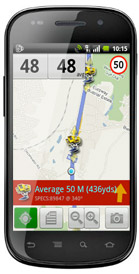
In the example above I have just joined the A127 from the A129 and although I am approaching a camera in the middle of a chain of 50 MPH average speed cameras I have not passed a camera yet. The GPS status logo is now replaced with a speed sign indicating the immediate threat, and the detail of the camera is displayed at the bottom. As I pass the camera it will trigger the average speed calculation and the average speed will be displayed.

I have now tapped on the list icon to show me the details of other cameras in the area. To the right of the warning detail there is a blue arrow. This indicates the direction of the camera relative to where you are. Other details shown are the identification data for the camera and the direction in degrees (1-360) in which the camera operates.
If you tap on the detail entry it shows more details and allows you to submit modifications to the camera information for us to verify and update our database with. For details of the changes that can be made see reporting cameras below.
Configuration
At the heart of getting CamerAlert to behave as you want it to are the configuration settings. There are a number of different pages in the settings to further configure items in a contextual manner. To enter the main configuration page simply tap on the cog icon to the far right of the toolbar. This will display the following page:

Starting at the top of the page and working to the bottom remembering that in landscape mode you may need to scroll the screen to see the options:
On the navigation bar you can return to the main application, or display the app info screen.
Update cameras: Maintain the CamerAlert database.
This has been covered above.
Show Map: Determines when the map is displayed, Always, Near cam, or Never.
When "Always" is selected you will need to have an active data connection to download the maps. The maps are downloaded from the Internet as they are required. If for some reason the map cannot be downloaded then a grid will be displayed instead.
When "Near cam" is selected the normal display will be the camera list until a camera becomes 'active'. At this point the map will be downloaded from the internet and displayed. If you do not have a data connection then a grid will be displayed.
If you select "Never" then maps are never displayed. This is useful if you are travelling in a foreign country and you do not have a roaming data plan. Note that if you do not have a data connection you will not be able to submit camera details, but you will still be alerted to known cameras.
Use night colours: Determines which colour set to use.
By default we use bright daytime colours as seen in the above displays. Some people find this too bright at night time. Configuring the main iPhone settings for auto brightness will dim the display at night and some people find this perfectly acceptable, whilst others require a more subdued display. If you select yes for use night colours then the list display will have this colour scheme. As the map data is provided by Google we are unable to provide night colours for that.
Sound warnings: Determines if audible warnings are issued.
This allows you to select if warnings are sounded. Set it to "No" and you will not get a sound from CamerAlert. Set it to "Yes" and you will be warned.
However the amount and type of warning will vary between different users, and what you need may be too much for someone else. As we realise that you will all want different settings we designed this into the system. Simply tap the arrow button next to "Sound warnings" and the Camera warnings screen is displayed:

In the Camera warnings display you can fine tune the features of the warning system to your precise requirements.
Starting at the top there is the range when the camera becomes active. If this is not enough for you then you can move the slider to the right. Tapping the arrow button displays a further configuration screen with advanced tuning parameters.
Next you can select the sounds that will be issued. Tapping on the text previews the sound, whilst the arrows select your sound.
We have a certain amount of iPod integration. This allows you to play music or podcasts using the iPod app, but have them interrupted when an alert sound is played. The default is none and the alert will be played at the same time as the music.
Underneath is a list of cameras to be warned about. This will allow you to select which cameras generate warnings, and which are just displayed on the map. By default all verified and active cameras generate warnings, provisional cameras do not. You can switch the categories on and off by tapping the list item.

Above is the Advanced warning parameters display. This can be used to fine tune the warning system. This is used to narrow or widen the criteria by which CamerAlert determines if a camera should be warned about. The defaults were determined by using CamerAlert in an area with a lot of cameras and is a balance between accurate and timely warnings and minimal false alerts.
If you have changed the advanced settings and wish to return them to the originals just move the sliders to the centre.
Record track: Keep a record of the journey.
Returning to the main setup screen the next option is to record your track. By default this is set to no, but it is possible to trace your route and then further options allow you to email the track to your email account. Be aware that track recording uses up valuable resources and should only be used if you have a genuine need for it.
Prevent standby: Stop the iPhone entering standby.
As you are driving the iPhone will typically dim the screen and then enter standby mode switching the screen off. "Prevent standby" forces the screen to be on at all times whilst CamerAlert is active. However this does use a lot of battery life and it is strongly recommended that you use a car power adapter to charge the iPhone when CamerAlert is active.
Unit of measure: Select metric or imperial.
The "Unit of measure" options allow you to switch between MPH/Yards and KPH/Metres.
Map type: Select the type of map to display.
This option lets you select the type of map to show in the map display. By default you get a road map, but you could select a satellite image or a hybrid combination of both. Some people find that the satellite or hybrid map is less bright and more suited to night use.
View more ahead: Controls GPS location on the map.
If you select the View more ahead option then rather than centre the GPS location on the screen the map is positioned to see more of the road ahead.
Rotate map: Determines the map orientation.
If you select to rotate the map then the map will be orientated to your direction of travel, much the same as you expect from a SatNav application. If this option is not selected then the map will be shown with north at the top of the display. If you select to rotate the map then CamerAlert will literally rotate the map provided from the internet, this means that all text and images on the map will be rotated too. The camera icons will retain their correct alignment though.
Zoom Automatically: Speed sensitive map displays.
By default "Zoom automatically" is off. Selecting this option allows for speed sensitive zooming of the map. The faster you travel the larger the area of map is displayed, the slower you go the more detailed it becomes.
Reporting Cameras
WARNING: You must not report a camera whilst in control of a vehicle. Either stop where safe to do so or get a passenger to record the details.
Speed Cameras are dynamic roadside furniture. A lot of speed cameras are permanent and will not change year in year out, but some are more transient, and others are installed on a daily basis. Our database is global and covers most countries where cameras have been installed. To keep the database up to date we have teams of "Camera Spotters" and "Camera Verifiers".
You can help us by reporting sightings of cameras that are not in our database or ones that are in the database but do not have the correct details. If you are the first to accurately report a new camera or a change to an existing camera that is subsequently verified then you can earn a lifetime subscription to the PocketGPSWorld.com site. An accurate report is considered to be: Of the correct type, on the correct road, within 100 metres of the verified camera, having correct speed, and having correct direction. You must register your App before you can submit a camera report.
Reporting a camera is simple in CamerAlert, just tap the capture camera button as you pass the camera. This will record your current position and display the following screen:

Important: When you tap the capture camera button the GPS position is recorded. You can complete the submission there and then or wait for a few hours before you submit, the location will not change.
This is the first of a series of up to 3 screens to select details of the camera you are reporting. The most important part of this display is the map showing the recorded location of the camera. There will be a pushpin at the location that has been recorded. Moving the map will move the small cross-hair cursor giving you precise control of the position to report. If you need a larger area to help you select then you can tap on the arrow icon in the bottom right corner of the map and this will open up to a full screen map.
Once you are happy with the position tap on the icon of the camera type that you are recording. We are not concerned about the exact type or make of camera (Gatso, Truvelo, Monitron etc) just the class of the camera. Having selected the camera type you will see the speed selection screen:

There are a lot of speeds on this display ranging from 20 to 130 with increments of 5. This is because there are a large number of different limits across the world. In the UK speeds are from 20MPH to 70MPH in increments of 10MPH, in the USA speeds vary from 20MPH to 85MPH generally as x5MPH, and in Europe and elsewhere speeds can be recorded up to 130KPH.
There are two special icons for speeds that are unknown, and where the camera is subject to changing speed limits for traffic flow control.
After the speed has been tapped the final display is shown:

With this screen you can now specify which direction the camera monitors. Please bear in mind that some cameras (SPECs and Truvelo) take forward facing images and others take rear facing images. We need the direction that the vehicle is traveling when the camera is active. In some situations the camera may be reversible either by having 2 cameras monitoring both directions at the same location or by having a single camera that can be manually turned to face the opposite direction.
If the camera is in a remote location and it is appropriate to do so then take a picture of the camera. Bear in mind that you will have to stop to do this, but it can provide additional verification for the submission. Tapping the add photo button launches the iPhone camera app which allows you to attach an image to the captured details.
Sometimes a brief description of the location can help our verifiers, particularly where mobile cameras are involved. You can do this by attaching a voice note to the submission. Tapping the "Add voice note" button starts a recorder. Tapping it again stops the recording. Once you have recorded a voice note you can press the icon to play it back to yourself. Note that you are limited to 8 seconds of audio.
After attaching a photo or voice note you have the option of deleting them by tapping the red "X" badge on the top left of the button.
Once you are happy with the submission tap the submit button. This then sends the information directly to our server where it will be queued for processing. After successful transmission you will get a confirmation message, and if you have an account with an email address recorded you will also get an email confirmation.

FAQs
Before listing a lot of questions and answers it is good to know how Speed Camera Warning systems work, and how you can sometimes get "False Alerts" or sometimes no alerts when driving on the roads.
GPS Speed Camera warning systems will never be perfect. There are a number of problems that could be overcome, but as with everything in life it is a balance between cost and functionality. The perfect Speed Camera Alerting system would be prohibitively expensive, so we must accept some limitations which will either give us false warnings or late warnings.
Please remember that the Speed Camera warning system is exactly that: a warning system. It is not designed to help you break the law or drive dangerously or in an inconsiderate manner. If, as the authorities claim, the Speed Cameras are placed at accident black spots then this helps you become more aware of unfamiliar road incident areas.
Maintaining the database
The Speed Camera database is continually changing as new cameras are found and existing ones change either location, speed or direction of operation. We have thousands of camera spotters telling us where these changes are happening. We then have teams of verifiers who check the reports for accuracy and try to add additional information to each location. Finally the whole process is tied together by admin staff who make the final adjustments in the database. We believe that this moderated community collection is the ultimate method to keep the database up to date.
How Speed Camera Alert Systems work
The database pinpoints speed cameras. You can regard these as being dots on a blank piece of paper. These dots do not move, but will have some information associated with them. This will typically be camera type, speed, and direction. Using this information we can now interpolate the effective area that the camera will cover. Your car obviously moves, and keeping the analogy it is like moving a pointer over the paper. This also has information associated with it: speed of travel and direction being the most important. With this information combined with the camera information we can tell when a camera is coming into range.
Now obviously you can move the pointer in any direction, but in real life you are constrained by the road network. This is where the issues arise!! If you are traveling in a straight line and the speed camera is directly in front of you, you will be able to set a precise distance to be warned at, but what happens if the camera is just round a bend? Well this is where a cone of awareness is used. This cone allows the Speed Camera warning system to evaluate which cameras are in range within the area of the cone and this is where the "False Warnings" arise. Depending on the configuration used this cone can spread 180 degrees for 1km. This may not be a problem on a country road, but may issue lots of alerts in a city with lots of cameras. For example if you are traveling on a major road and there is a road running parallel at a lower speed then you will be warned if there is a camera on the slower road. There are a number of possible scenarios where you will be issued "False Warnings" some of these are outlined below.
False Alerts
In all cases we consider the issuing of False Alerts preferable to the possibility of not alerting for a genuine camera location.
Case 1: Parallel Road.
This is often the cause of many false alerts. A road that runs parallel to the one you are traveling on has a speed camera in the direction you are driving. You will never see this camera, but it will still trigger an alert.
Case 2: Wrong direction.
If a camera is in the database but we have not entered a direction for it then if you approach it from the other direction an alert will be issued. This will also be the case if the camera is reversible i.e. can be turned round to face the other direction.
Case 3: Mobile Camera not there.
The database records known Mobile Camera sites, but due to the nature of these it is far more likely that no camera will be there when you pass. As Mobile Speed Cameras are the most "dangerous" we also record unverified or possible locations in the database. Mobile sites do change over time and we purge any mobile that has not been reported as seen after a period of time.
Case 4: Camera on a cross road.
If you are approaching a junction and the camera is on the cross street then if the angles are correct the camera can fall within the detection cone and will trigger an alert.
Random Alerts
There are sometimes when an alert will be issued a number of times.
Case 1: The long and winding road...
Occasionally the road will twist and turn. This can result in warnings being given a number of times for the same camera. This is because it will keep on coming into and out of range and direction.
Case 2: Camera goes out of range.
Sometimes when you are driving on a road you come in the detection range of a camera on another road, but the road you are on then turns away from that camera. You will get the warning but then the warning will be cancelled. This can also occur if your speed is constantly changing. This means the time before you reach the camera keeps going in and out of the warning criteria.
No Alerts
There are a few scenarios where alerts will not be issued or will be issued late.
Case 1: Camera after sharp bend
Another possibility is the late warning for a camera. this can occur when you are traveling along a road with a sharp bend. As you approach the bend the camera is within the cone's area, but the camera is not facing the correct direction. When you go round the bend the camera suddenly comes into range in the correct direction.
Case 2: Dummy cameras
In general most cameras are active, but some are either dummy cameras or inactive. These are often marked on our submission map as being inactive. Our verifiers regularly check the status of known dummy cameras. In the UK the M42 has camera boxes on most of the overhead signals, but most of these are non-operative.
Case 3: Average Speed cameras.
Average speed (or SPECs) are becoming more prevalent in some countries now. There is a lot of confusion and misunderstanding of how these work. The system uses pairs of cameras separated by 500 or more meters. When you pass the first camera your car is recorded along with the time you passed. When you pass the next set of cameras the time is taken again, then the system works out how long it took you to complete that stretch of road and knowing the distance between cameras it can work out your average speed. Most Speed Camera Alert systems will inform you of the actual cameras, but not the fact that you are in an average speed area. The PocketGPSWorld.com CamerAlert app does record these cameras correctly and will keep a record of the average speed you travel in each section of the Average Speed Camera coverage.
Summary
If you understand the reasons why you occasionally get 'false' or 'random' alerts then you will appreciate the security that the warning system will give you on your journey. This behaviour will increase when driving in cities with a higher proportion of cameras. I tend to use the false alerts to remind me to check my speed along with the road conditions.
Questions and Answers
The following are a list of commonly asked questions regarding Speed Camera Warning systems and CamerAlert in particular. Please refer to these prior to raising a support request.
1) How does the "Latest Database Guarantee" work?
When you first install CamerAlert the database will be out of date. We allow you to download a copy of the latest database after you register the application.
2) I removed CamerAlert and re-installed it why can I not download the latest database again?
The "Latest Database Guarantee" is a single download per device. If you remove CamerAlert it will remove the database as well. Re-installing will load the initial database, as your device is already registered and you have already downloaded a Free database you will not be entitled to download another.
3) I am already a member of PocketGPSWorld.com do I have to subscribe twice?
As an existing member of PocketGPSWorld.com all you need to do is link your account to the iPhone. This will allow you to download the database as often as you like whilst your subscription is active.
4) I changed my iPhone and now I cannot link my PocketGPSWorld.com account.
The PocketGPSWorld.com account can only be linked to a single iPhone. We appreciate that occasionally devices get lost stolen, replaced or upgraded. If you need to change your account open a support ticket specifying your user name and the UDID of your new device. We will change our registration details on the system for you. Our guide on how to obtain your iPhone's UDID can be found in here.
5) How do you use my registration details?
When you register CamerAlert with our server we use the UDID of your iPhone to uniquely identify it on our database. We use this information purely for database and administration purposes. We do not share this with any other entity, nor do we use it in any way to target you with any advertising or other offers. We do not collect any other personal details from you when you register. If you decide to subscribe to the site then the UDID of your iPhone will be linked to your user account.
Support
If you have any issues that are not solved by reading the FAQs then please contact the PocketGPSWorld.com support team by visiting http://www.pocketgpsworld.com/support.php and entering your details and a description of your problem there. If the issue is related to your account with us then in order to help you we will need the unique Identifier of the iPhone that you registered CamerAlert.
The iPhone UDID is obtained by running up iTunes with the iPhone connected click on the iPhone in the left hand panel to get the summary pane displayed, then click on the serial number this will change to the UDID. If you now press CTRL+C (PC) or CMD+C (Mac) it will copy the UDID to the clipboard, you can then paste it in the support form. A full guide detailing this procedure with screen-shots can be found here.
| Comments
|
Posted by tjh99 on Tue Feb 16, 2010 5:49 pm |
 |
I have beenusing the pocketgps database for a couple of years now, and have been waiting for the iPhone app.
Works very well and is easy to use.
Thankyou.
This does eat battery life, make sure you have a power lead in your car.
|
|
Posted by HJC on Thu Feb 18, 2010 11:13 am |
 |
I have just emailed myself a track log, which arrived very quickly onto my Mac, as a Mime attarchment with nothing in it, and a zip file which told me
Unable to unarchive "tracklog.zip" and that I had an error 1 operation not permitted
any advice
many thanks
|
|
Posted by MikeB on Thu Feb 18, 2010 11:54 am |
 |
Hi HJC,
Sometimes the inbuild MAC expander is not able to process the zip files we create. The solution is to download the FREE Stuffit expander from here: http://my.smithmicro.com/mac/stuffit/expander.html
This should be able to open the archive correctly.
Mike Barrett
Editor, PocketGPSWorld.com
Follow PocketGPSWorld via our Twitter feeds: Darren and Mike. |
|
Posted by Darren on Fri Feb 19, 2010 10:15 am |
 |
Or better still, Unarchiver (Smaller memory footprint that Stuffit which has become a big bloated pile of doo-doo of late!)
http://wakaba.c3.cx/s/apps/unarchiver.html
Much better than Mac's built-in unarchiver.app
Darren Griffin
Editor, PocketGPSWorld.com
PocketGPSWorld.com supports Help for Heroes - Read More |
|
Posted by mostdom on Fri Feb 19, 2010 12:48 pm |
 |
| lbendlin Wrote: | | That's a known limitation. Sound control only works when a sound is currently playing (Thanks Steve!) and our announcements are not long enough to give you sufficient time for the adjustment. | I think this continues to work after the first sound is played until shutdown.
I suggest playing a silent sound file on startup may resolve this. Worth a try!
Dom (Dr jolly)
There is no 'nice stuff' at B&Q!
Navigon 7310/iPhone Navigon&Copilot - PGDIAIOVIPRE |
|
Posted by mostdom on Fri Feb 19, 2010 12:53 pm |
 |
Sorry above post is moved from the camera alert anouncment page, looks a bit stupid now on it's own.
Still it might be a fix for the volume control problem, so might be worth a try on the next beta test!
Dom (Dr jolly)
There is no 'nice stuff' at B&Q!
Navigon 7310/iPhone Navigon&Copilot - PGDIAIOVIPRE |
|
Posted by alan_dr on Fri Feb 19, 2010 1:50 pm |
 |
Is this the correct thread for enhancement requests also?
Alan - owner of (now redundant) TomTom ONE UK v2 and iPhone 3G 16GB, with Sygic Europe, Navmii UK,CoPilot UK & US, Ndrive Oz & HK |
|
Posted by mickrichardson535 on Fri Feb 19, 2010 6:51 pm |
 |
Hi - great app - purchased and employed as soon as it was launched - but - in travelling daily through a lengthy specs area on the A14 Ipswich (Copdock to Claydon) the app insists that I am still in the specs area despite having left it ages ago - only on the east bound track though - the result is both positive and negative - positive in that it retains the average speed display which I find very useful - and the negative being that it displays that i am still in the spec area until I switch the app off at journeys end.
Other than that - superb.
|
|
Posted by Darren on Fri Feb 19, 2010 6:56 pm |
 |
| mickrichardson535 Wrote: | | Hi - great app - purchased and employed as soon as it was launched - but - in travelling daily through a lengthy specs area on the A14 Ipswich (Copdock to Claydon) the app insists that I am still in the specs area despite having left it ages ago - only on the east bound track though |
Issues like this may be to an error in the way we have recorded the SPECS zone i.e. we may be missing the end marker in one direction.
Can you post this in our Support thread here so we can ensure it is checked?
Darren Griffin
Editor, PocketGPSWorld.com
PocketGPSWorld.com supports Help for Heroes - Read More |
|
Posted by MaFt on Fri Feb 19, 2010 7:08 pm |
 |
| mickrichardson535 Wrote: | Hi - great app - purchased and employed as soon as it was launched - but - in travelling daily through a lengthy specs area on the A14 Ipswich (Copdock to Claydon) the app insists that I am still in the specs area despite having left it ages ago - only on the east bound track though - the result is both positive and negative - positive in that it retains the average speed display which I find very useful - and the negative being that it displays that i am still in the spec area until I switch the app off at journeys end.
Other than that - superb. |
press the 2nd button from the left (speedo icon) to manually start or stop the average speed display
MaFt
This is not the smallest writing in the world. This is just a tribute. |
|
|
| Click here to view more comments... |
|
 |
|