 Review by Lutz Bendlin Review by Lutz Bendlin
Welcome to PocketMap Navigator.
Space Machine have just released the 2004 edition (also called R3.0) of their PocketMap Navigator application.
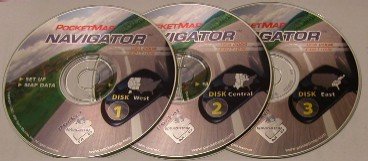
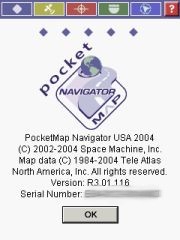
The US version (R3.01.116) that will be reviewed here comes with three CDs, for the West, Central, and East regions of the US.
The first CD also has the installer program on it, as well as the User Guide and some other goodies. As you can see from the splash screen PocketMap Navigator uses TeleAtlas map data.
The Quick Start Guide booklet gives you a very good overview about the application, the compatibility with various Pocket PCs and GPS receivers. In a very small space it covers basic installation and usage of the program, and goes into the details of route planning.
It also mentions that there is a patch on the installation CD for all you Toshiba Pocket PC owners that look at the USB port and wonder if it ever will be of any use (the patch seems to emulate a serial port…). I don't normally read manuals but this one I liked.
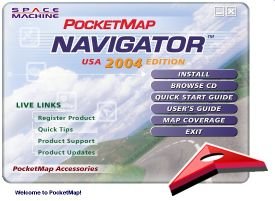
PocketMap Navigator is of the sub-species "Requires Desktop Assistance" so you will need to install the "PocketMap Data Manager" onto your PC at home to select maps and some longer routes and to transfer them to the Pocket PC. Direct copying of maps from the CDs to the PDA is not something that is officially supported.
(Technical: If you are adventurous enough you could actually extract the county map components from the state ZIP files on the CD and copy them into the data directory on the Pocket PC. Provided you know your county's number).
The application itself runs only on the Pocket PC. No maps are shown on the desktop.
[top]
Installation on the desktop
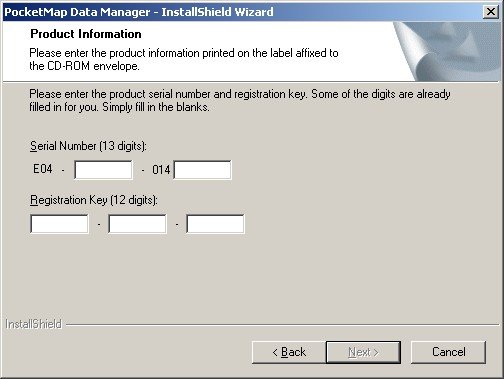
The Installation process begins with the product registration. The serial number and registration key can be found on the back of the first CD cover. This registration is then good for use with all your desktops and Pocket PCs, which is convenient and also makes sense since you will only be using the GPS navigation in one PDA at a time.
To save yourself from playing disc jockey all the time when creating maps and routes (especially cross country) you can elect to copy the contents of the CDs onto your hard drive, selectable by state.
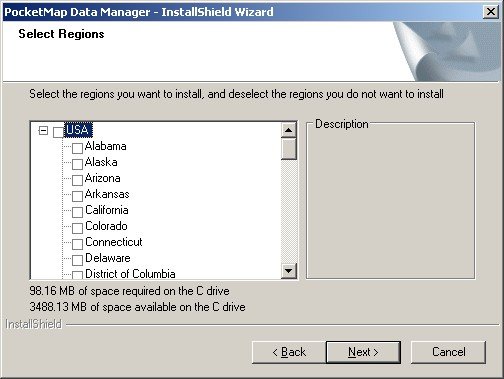
Note: If you missed this part or if you want to copy additional states from CD to your hard disk then you will have to run the PocketMap Data Manager Setup again on the PC.
[top]
Installation on the Pocket PC
If you can’t wait and are eager to get going with PocketMap Navigator you can now install the Pocket PC part of the application. Or, you can do that later from within the Data Manager. Anyhow - You will have to download maps to make it work, so be patient!
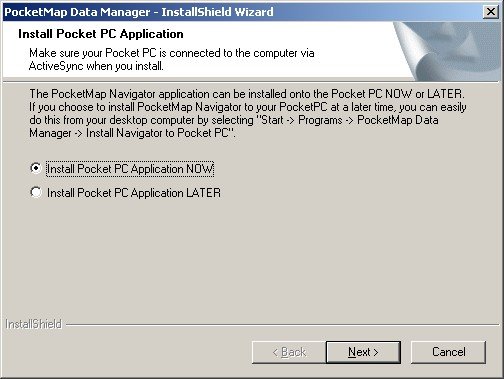
Since I am testing and reviewing more than just one application I always need to make sure my Pocket PC doesn't mess up too much. One way of doing this is always attempting to install all programs and data onto the storage card, keeping the main memory as free as possible.
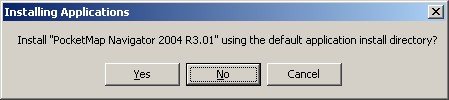
So instead of the default directory I am always choosing the storage card.
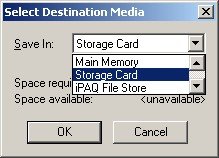
This is what I call the "World Domination Test". How well will PocketMap Navigator fulfil my wishes for an alternative location ? Will it behave like a polite guest on my machine, or will it assume it is the only application that will ever run on the Pocket PC ?
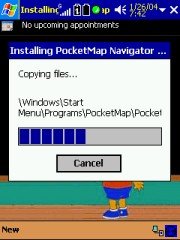 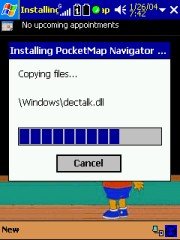 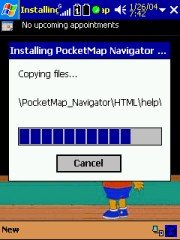
As you can see the results are rather unimpressive. Most of the files get copied into the main memory area ignoring my specified destination, and it needs a fair amount of cleaning up to get them moved to the storage card manually. Some files like the HTML directory cannot be moved at all, PocketMap Navigator refuses to start up when you do that. Maybe Space Machine can address this hard-coding issue in a later release ?
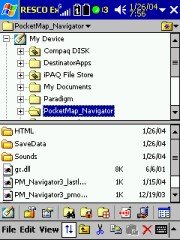 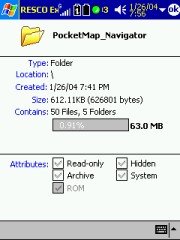 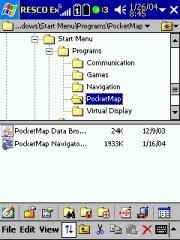
This behaviour results in about one to three Megabytes less space in your main memory, and even more when you decide to install everything there. Make sure you can spare this space in the RAM of your Pocket PC
[top]
Map Download
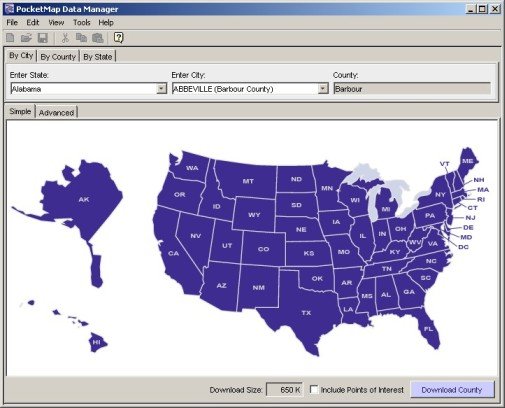
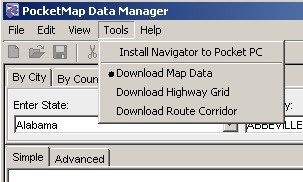
Map Download is one of the stronger points of PocketMap Navigator. You have a multitude of options to define which maps you want to download for use on the PDA. Interestingly enough these methods mostly boil down to determine which county maps are affected by your decision. This concept is similar to the one used in Mapopolis, but the graphical assistance makes this process less cumbersome for the end user than in the Mapopolis case.
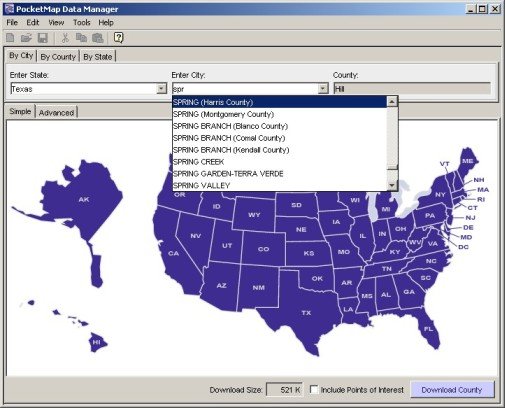
If you select a city then you can also specify the radius of interest, and the Data Manager will then identify the counties that fall within this radius. You can choose to include the Points of Interest (POI) for these counties, and the Data Manager always neatly shows you the total size of the selected data.
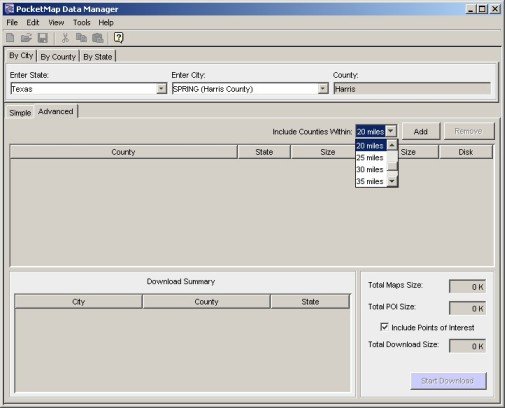
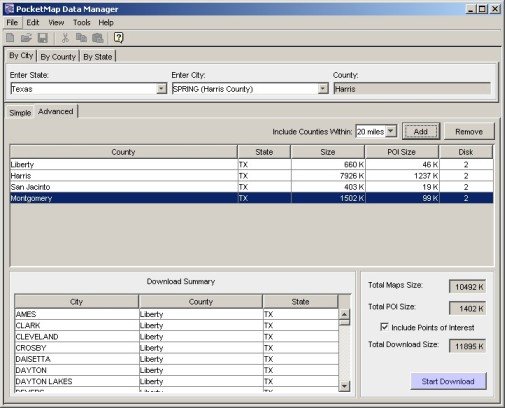
Together with the file size for each county the Data Manager also shows you the size of the POI list for that county and the CD on which the data resides.
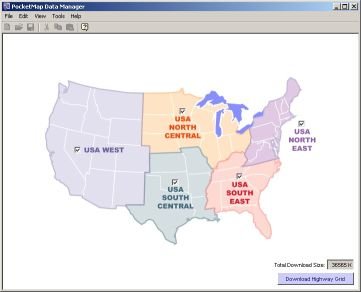
As soon as you are planning longer routes it may or may not make sense to identify all counties that are "en route". If you want to confine yourself to the major roads then you are free to alternatively select the so-called Highway Grid for download.
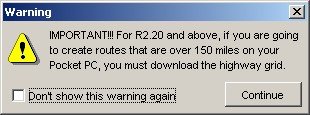
The highway grid comes at a premium of 36 MB for all of the US (6 MB South Central, 8MB South East, 9 MB North East, 7 MB North Central, 6 MB West). To avoid annoying surprises while you are on the road I would highly recommend you download the highway grid or at least the part where you drive along the most.
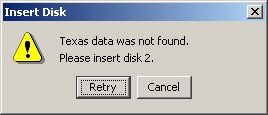
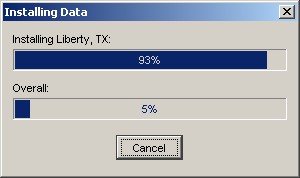
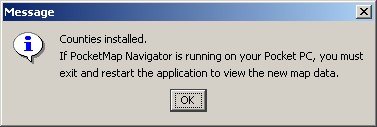
Once you get going with the copy process, the Data Manager kindly asks you to provide the correct CD.
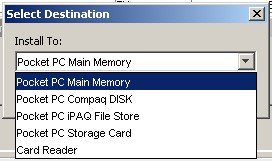
Maps and routes can be installed to any "drive" on the Pocket PC or to a Card Reader on the PC.
NOTE: The card reader must be plugged in before you start the Data Manager!
I was expecting to be able to save the maps to a directory on the PC as well but as long as you use a Card Reader the speed should be acceptable. Don’t try to install anything greater than 15 MB over ActiveSync. It’s just not worth the hassle…
The map installation folder can be freely selected which is a very nice touch. The map data will end up in sub folders that are named after the counties.
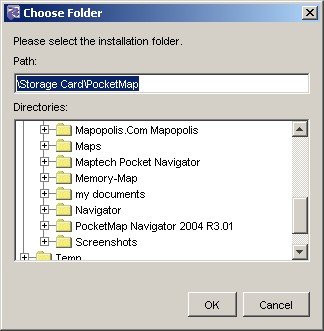
There is a naming inconsistency here, the proposed folder is "PocketMap_Navigator", but your storage card or main memory does already contain a "PocketMap Navigator 2004 R3.01" directory – so I would recommend you use that instead and keep your directory structure clean (although the directory name asks for trouble with future versions, and you may end up with even more directories).
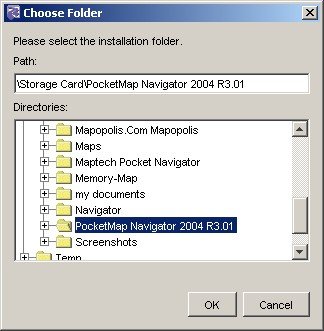
Installing a few counties over ActiveSync is ok but as soon as you cross the 15 MB limit you should seriously consider using a card reader instead.
[top]
Map Management on the Pocket PC
You will find another program on the Pocket PC that is called the PocketMap Data Browser. This little applet will show you what counties you have loaded and how much space they occupy. Same for the POI's and for the highway grid.
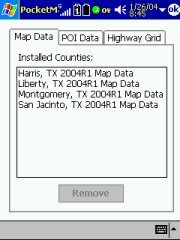
This is quite handy. I just don't understand why this had to be a separate application – I would have expected this function to be part of the main program.
[top]
Configuring the Pocket PC Application
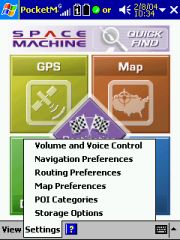
The configuration options can be reached from the main menu by tapping at the "Settings" menu item. Very conveniently you can use that menu to configure all the settings in one go without having to go back to the main page.
[top]
Volume and Voice Control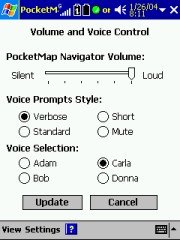
You can select between two male and two female TTS voices. The sound quality is average and roughly on par with the voices created by the Fonix engine. Of course you cannot compare the output to that achieved by using WAV files, but on the other hand you will hear all the street names and house numbers.
The Voice Prompt Style selector seems to be a nice feature however I was not yet able to make out any difference between the various settings.
What you cannot directly influence is the multitude of WAV files associated with events – GPS fix acquired, GPS fix lost, nearing turn, turn complete etc. 19 Sounds altogether – a true cacophony of sounds that in cooperation with the TTS output creates a soundscape not unlike a flipper computer game. Hint – these sound files can be deleted. They are located in main memory, in the \PocketMap_Navigator\Sounds directory. Simply renaming that directory to something else does also do the trick.
[top]
Navigation Preferences
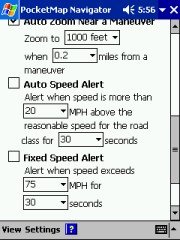 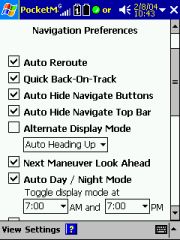 PocketMap Navigator has a number of interesting preference settings that are distinguishing it from the competition. PocketMap Navigator has a number of interesting preference settings that are distinguishing it from the competition.
Quick Back-On-Track is clearly something where PocketMap have learned from the problems that Destinator and TomTom (to name just a few) have when you are diverting from a planned route at the beginning of the trip with a very long way still to go. While other applications start to recalculate the entire route PocketMap Navigator gives you the option to have just the part of the route recalculated that is in close proximity.
Auto Day/Night Mode: A good feature - with the little caveat that the switch over time is not automated. You will have to specify the time yourself (default is 7 o'clock). It would have been nice to use the almanac data for this.
PocketMap Navigator also has a pretty decent 3D mode, including the display of road names but without the ability to do anything with the map when in that mode – no tapping or panning. (For safety reasons, when in Guidance mode, any user interaction with the map is strongly discouraged. The same is true for the buttons on the top of the screen, they are too small to be safe or useful while driving)
In Guidance mode you have no way of zooming in or out (because of the button issue below), but the setup allows you to set the zoom level near a maneuver (a turn, so to speak) so you can have your own preferred zoom level there – a nice touch.
[top]
Routing Preferences
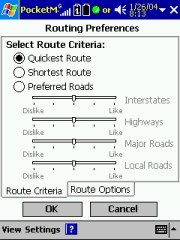
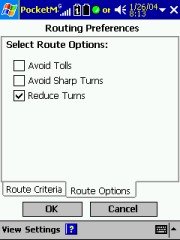
You have some kind of control over which roads to prefer (although you cannot set average speeds for these road types), and you have the very nice option to Reduce Turns, which is very useful when you are in city centres. Instead of zig zagging from one point to the other you are guided along one street as long as possible and then make just one turn. The distance is the same but all time you would have wasted at turning is saved. Plus, it is less physical work …
[top]
Map Preferences
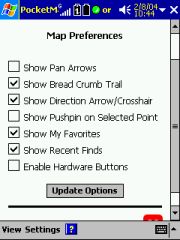
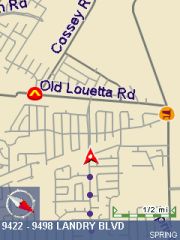
Nothing special here – Show Bread Crumb Trail will draw some gray dots where you have driven as shown on the picture above, but it will not preserve this information through a program restart. That makes it pretty useless if you ask me, except for the rare case when you got lost and want to trace back (Why would you want to do this? Why not use the guidance mode?) and haven't closed the program in-between your rides.
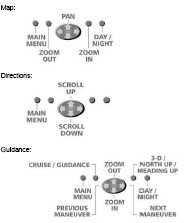 Enable Hardware Buttons Enable Hardware Buttons
The proper name for this feature would be "Dominate Hardware Buttons" – PocketMap Navigator tries to take over ALL button assignments, including the ones from other programs, when it is running in the foreground.
That's a bad idea since most of our users have the buttons mapped to all kinds of applications that are running in the background and need occasional attention, like a MP3 player or a screenshot program. Unfortunately the current program version does not allow assigning individual buttons either, so I had to continue the review leaving this feature unchecked.
One of the problems with that approach is that there is no way to disable the guidance when you are close to the destination and do not need the voice prompts any more – this switching is only possible with the hardware button…The same is true for the toggle between day and night modes.
[top]
Points of Interest Categories
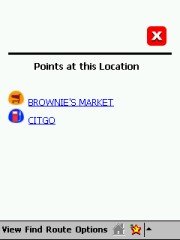
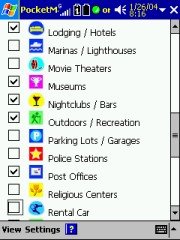
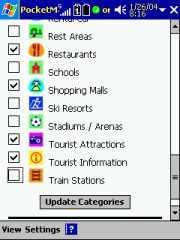
The list of POI's that PocketMap Navigator offers is impressive, and you can check the ones that you want to be displayed on the maps. If multiple POI's are occupying the same space on the map then a summary sign will represent them instead, and tapping on it will tell you which POI's are hidden behind that sign.
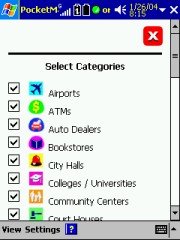 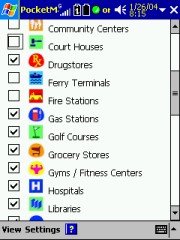 
Equally impressive is the variety of flashy colours used for the POI icons – a few too many for my taste. On the map they are rather hard to read. A little more contrast and a more limited colour palette would help.
[top]
Saved Data Location
And finally, you can tell PocketMap Navigator where all your favourite locations and routes should be stored. Options available are Main Memory, Storage Card, iPAQ File Store and Compaq DISK.
[top]
Power Management
Unlike other programs PocketMap Navigator has no settings for power management. Normally a program allows you to decide if the Pocket PC should stay on while the program is running or if it should go into standby mode after the time specified in the Pocket PC power management settings.
Not a big issue when you have permanent power, but it gets important when you leave the Pocket PC in the car overnight (assuming you have a garage ;-).
To cut a long story short, PocketMap Navigator does not honour the operating system settings and keeps the Pocket PC switched on as long as the program is running.
This bears the risk of a total power drain. Make sure you switch the Pocket PC off (if you want to keep the application status), or exit the application.
[top]
PocketMap Driving Disclaimer
Like every good street navigation program should do, Space Machine PocketMap Navigator alerts the user to the fact that operating the program while driving is generally a bad idea. Once you agree with that you will not see the screen again for that session.
[top]
General appearance and Usability
Finding your way around PocketMap Navigator is relatively easy, and there are nearly always multiple ways to accomplish a task. You can use the main page pictograms, the menu at the bottom, or the small pictograms at the top that all have more or less the same items.
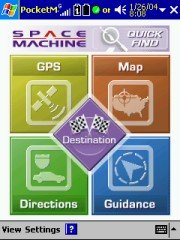 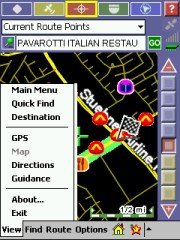
There are some quirks – the small pictograms tend to be very slow to react to user input, so you end up pushing them again and then you undo your initial command etc. There are also some logical problems - for example while you are driving you cannot switch directly from Navigation mode (called "Guidance") to Map mode. This is part of the overall safety considerations (hands on the wheel, eyes on the road) but it is still inconvenient when all you want to do is quickly pick a new destination from the map.
Space Machine have deployed a TTS (Text to Speech) engine (remember earlier - the \windows\dectalk.dll file), and boy do they use it. When the application starts you will be greeted by a "Hello! Welcome to PocketMap Navigator" in a typical male TTS voice (no matter what voice version you select in the settings). When you exit the application the voice that you have selected parts with you and a "Thank you for using PocketMap Navigator. Good Bye!" message.
Personally I get annoyed by these announcements pretty quickly, and to my dismay could not find a place to switch them off. Not even disabling the volume on the Pocket PC helped – the application simply ignored that and cranked the volume up again! ALK CoPilot does something similarly annoying but at least there it is a WAV file that you can delete to silence this unwanted blurb.
Technical: PocketMap Navigator uses GAPI to draw not just the map but also most of the controls onto the screen. I have no idea why they did that, it certainly hasn't resulted in increased speed. All you will notice is that your screen shots come out mostly blank like some of mine did until I wrote my own little GAPI screenshot routine. The application is fixed to the 240x320 resolution of the Pocket PC. Any attempt to use landscape mode or other resolutions will result in a totally distorted UI. I don't have a Toshiba 800 Pocket PC but I would love to hear from someone who could test PocketMap Navigator on that machine.
[top]
Setting up the GPS receiver
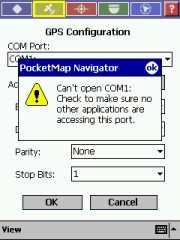
You have the option to either "Scan for GPS devices" or to use the "Advanced" mode. On my machines the scanning always looped just one COM port short of the actual port (for example it would get stuck at COM7, even trying to connect at 110 baud) so I resolved to use the advanced mode.
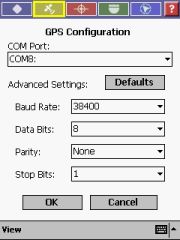 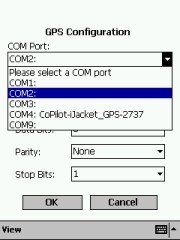 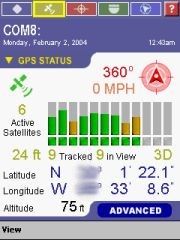
PocketMap Navigator expects a GPS receiver that talks NMEA (the SiRF protocol is not supported), and it scans the COM ports on your Pocket PC, so you should be able to quickly find your device and get it going at the right speed (Baud Rate). Don't touch these "Data Bits", "Parity", and "Stop Bits" settings – they have been included for no obvious reason (these are technical settings and do not usually need changing, so for the average user leave these as they are). All current receivers use 8N1.
You may notice there are two "ft" readings in the GPS Status screen. I had no idea what they meant, so I checked with Space Machine’s support. They responded quickly and it became clear that the top value (the one next to the satellite readings) is specifying the accuracy of the lock (the smaller the number the better).
On a side note – it seems that PocketMap Navigator does only support the imperial units of measure and not the metric units. To be successful in countries outside the USA this will need to be added.
[top]
GPS problems
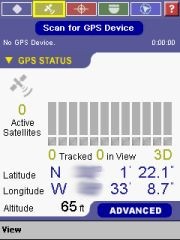
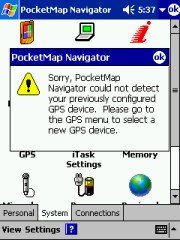
On a few occasions PocketMap Navigator seemed to lose the connection to the GPS receiver, possibly related to some main memory shortage. You can try to scan for the GPS receiver manually, or you go for the all encompassing soft-reset to fix that issue. (Sadly enough the soft-reset always helps)
[top]
Displaying the map
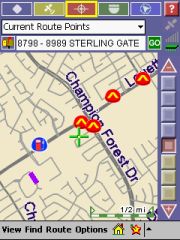
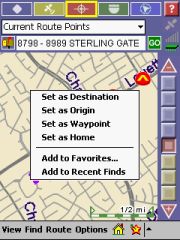
Map mode allows you to identify street segments (note the purple line in the left image below), POI's and other possible destinations. Any item that you select then populates the text field just below the "Current Route Points" drop down. Tapping the icon to the left of the field then brings up the context menu…
I would think that a simple tap-and-hold would have given the same result.
  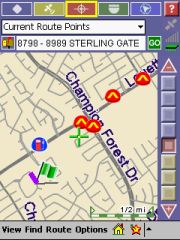
You can pan the map with the stylus and change the scale with the odd looking slider/selector on the right. There are also panning arrows available but I found it easier to use with these switched off. The stylus approach simply works better.
Please note that in Map mode your GPS position will not be kept on screen. There's a special "Cruise" mode in the Guidance screen that does that for you. In Map mode the "Where am I" menu item under "Find" is getting your GPS position back into the center of the screen.
[top]
Selecting a Destination
Selecting a destination can be done in different ways, either from the splash page, or by selecting from the "Find" menu when in Map mode or via "Quick Find".
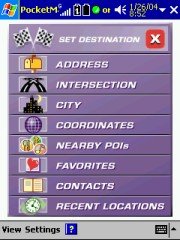 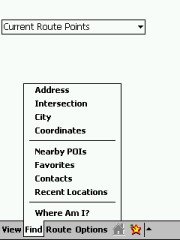 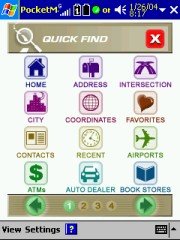
Selecting an Address forces you to select a city first, and it always starts back at the top of the alphabet. That is pretty annoying when you live in a city that is called "Spring". A memory of the last cities that were selected would be handy here. At least the selection narrows down when you start typing the city name.
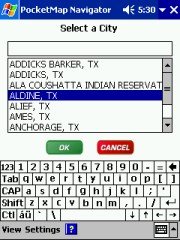 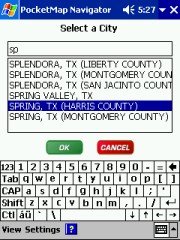
If you want to navigate to an address or an intersection you also have to specify the city first. This is sometimes problematic since in the US the city boundaries are not always obvious and the address that you are looking for may actually be in a different city.
It is possible to get a route to the city centre – that's a handy feature when all you need is to get into town.
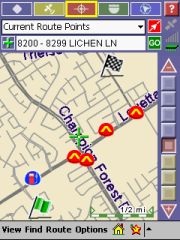 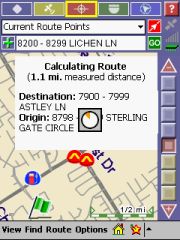 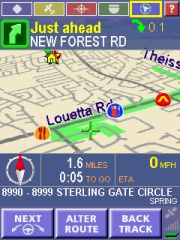
Once you have selected your destination (or have specified both origin and destination and then tapped on the green "Go" button) the route gets calculated. While I was not overly impressed with the speed of the route calculation it is still in the acceptable range. When the calculation is done PocketMap Navigator automatically switches to Guidance Mode.
[top]
Planning a Route
Route planning can only start from the Map view, and can only be accessed from the menu. So when you are in Guidance mode and want to start a new route or discard an existing one – the only way to do that is to tap the map icon.
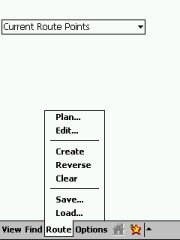 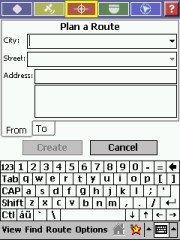 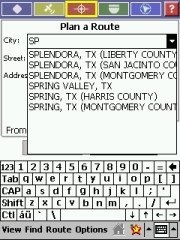
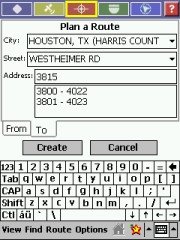 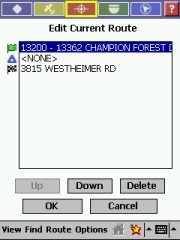
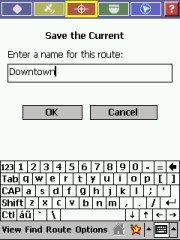
All the elements of a good route planning are present – origin, destination, waypoints, even saving routes and re-loading saved routes. Even if you do not save the current route it will still show up in the list, and you can go back to edit it.
Whenever you change a route PocketMap Navigator re-asks if you really want to recalculate with the new settings. Yes, that’s why you changed the route in the first place!
 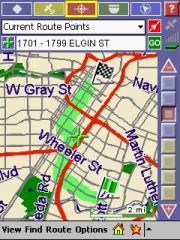 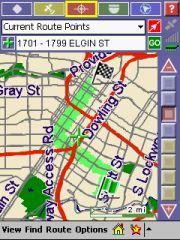
By the way, the pictures above show the difference between a "normal" route and a route where the "Reduced Turns" setting has been checked. It seems to work – it is a good feature and not many programs provide that yet.
[top]
Getting Directions
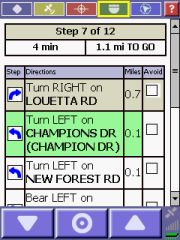
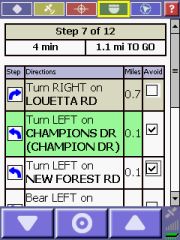
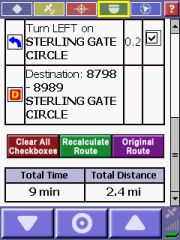
In the Directions mode you will see a step-by-step list of the maneuvers for your route. The current maneuver is highlighted in green. You can set temporary avoids for individual maneuvers by checking the checkbox and tapping onto "Recalculate Route". I found it very difficult to use though – you have to take the stylus and scroll down to the end of the list to see the green button. The longer the list of instructions becomes the more difficult it becomes to identify the "right" piece to check.
[top]
Navigating / Getting Guidance
This is one of the most important parts of any street navigation program, and sadly PocketMap Navigator left me mostly unimpressed. At first the screen looks nice, both in 2D and 3D modes.
But quickly you realise that there's something not right with this screen. Tapping on the map display yields a completely unexpected result depending where you tap either the top blue-ish field toggles on and off, accompanied by a very disturbing "Visual Guidance Off (On)" TTS comment, or the bottom field does the same this time the voice yells "Opening (Closing) Navigation Console". Combined with the slow feedback of the screen to your taps you invariantly end up hearing this stuff over and over.
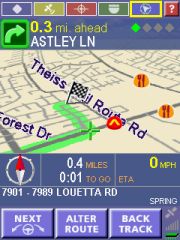  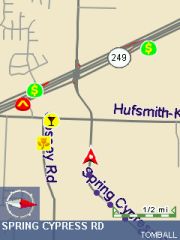
On the other hand there are also quite a few good features. One that is worth mentioning is that both the top most quick menu and the bottom most area disappears after a few seconds of inactivity, allowing to display more of the map area. When you tap in the middle of the map these areas come back into sight.
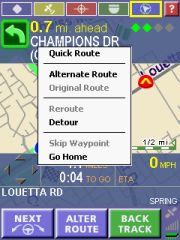
The buttons at the bottom of the screen are helping you with the process of navigating. The left most lets the TTS tell you the next maneuver again, the one in the middle brings up a popup menu for route changes, and the right one ("BackTrack") will swap origin and destination of your planned route.
So when you are panicking and want to drive back, discarding your original destination, hit that button. Then, when you calmed down and thought it over, you can hit it again to restore the original route. And then the system is ready for your next panic attack.
Seriously, this feature is handy when you recall a saved route and want to do the return route instead.
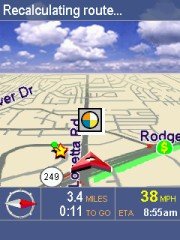 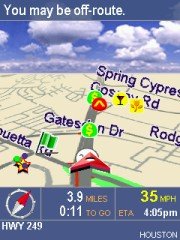
PocketMap Navigator seems to be quite picky about the proximity to streets (there is no setting where you can influence the "Snap To Road" feature). Sometimes the program thinks you are off-route, but in reality the map data may just not match the outside world good enough. What then follows is a series of frantic recalculations and accusations that you are off-route again. Probably the slow recalculation also plays into that. Once you are on a "good" road again this cycle stops.
And before anybody asks – yes, in night mode the 3D view does feature stars instead of clouds, and even a moon(!). Some may call this cute, I call it a waste of screen real estate and a gimmick that reduces the overall performance.
The overall routing performance is very acceptable, the calculated routes made sense to me, and the recalculation also produced good results (you may remember earlier on – there are settings to either get you back on track quickly, or to do a full recalculation)
[top]
Planning longer routes on the desktop.
There are two questions that users ask when they see a Pocket PC navigation system.
The first is "Is my house on the map ?". Well, mine isn't… The street is right but the house numbers are wrong because they were renumbered four years ago. As silly as this question may be, in most cases this is the deciding factor about the purchase of any such application.
The other question is "Can it do Coast To Coast ?" Yes, it can! PocketMap Navigator does need the help of the desktop application, but thanks to the concept of counties and highway grids the map data for such a cross country trip is quite manageable.
Using Seattle and Daytona Beach as the end points of the journey, the Data manager identified all the counties that are affected by the route (and I told it to use a corridor of 5 miles just in case I need to do a small detour here and there).
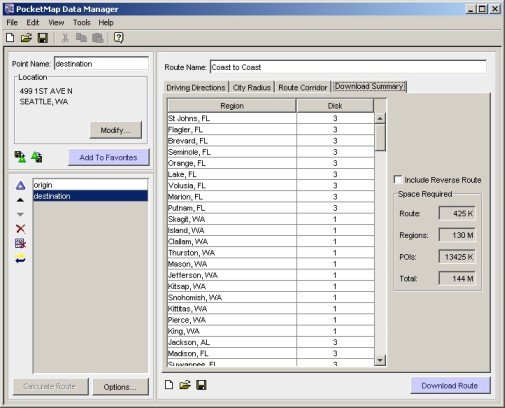
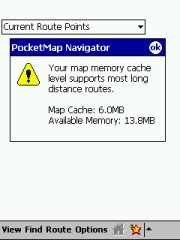 The overall map size came in at 140 MB, including all the POI's that are along the route. Remember to use the Card Reader to transfer this amount of data, and don't forget to download the highway grid as well. The overall map size came in at 140 MB, including all the POI's that are along the route. Remember to use the Card Reader to transfer this amount of data, and don't forget to download the highway grid as well.
On the Pocket PC you will of course have to make sure you have enough RAM free to hold that route. There is a info screen available that tells you what your memory situation looks like.
[top]
Application updates
Space Machine maintain a website at http://www.pocketmap.com which offers registered users both program and map data updates for download. Thanks to the county map concept this is a very workable solution because the file sizes are in the 5 MB range. Recent additions to the program functionality – not covered in this review- for example include a demo mode and improved navigation instructions.
There is also a POI Exchange centre (called PocketMap Points) in the making that will allow users to submit and download custom POIs. Right now it doesn't have much data but I am sure this will change with increased user numbers.
[top]
Conclusion
PocketMap Navigator is a very colourful and "soundful" program. Clearly the developers had a lot of fun building this application, but it is not always to the advantage of the end user. Some of the design is not helpful for the daily usage.
The map data is decent (Q4 2003 TeleAtlas release), and updates are available from the website. Many of the POIs in the map data do not exist any more or have moved to a different address. Users cannot move POIs, but the program does allow importing of custom POIs. The map coverage is currently limited to the United States. Map management is very good.
The navigational part is working pretty well, with a number of unique features like Reduced Turn routing, and with a good route-planning engine, both on the Pocket PC and on the Desktop. Coast-to-Coast routing is possible with PocketMap Navigator – not many programs can claim to make that statement.
I am looking forward to follow-up versions where some of the installation and usability quirks will no doubt have been addressed and where more (and more recent) maps will be added.
What's positive: Powerful map management; Coast-to-Coast routing; many POI categories; Reduced Turns routing.
What's negative: Too many colours, too little contrast; very noisy; clunky and slow UI; risk to drain Pocket PC battery.
|