| Review by Dave Burrows
Introduction
Earlier in the year we reviewed both the SmartST Pro V2 - Pocket PC and Navman's SmartST - Palm. Navman also announced the PiN 100 back in April 2004 but it took a little while to surface and for a review sample to arrive.
Tim Buxton (one of our moderators) has already written a review for the PiN 100 and here I will extend on his review with a full blown look at the PiN 100 and SmartST Pro V2. This review here will concentrate on both the PiN 100 and the SmartST Pro V2 software.
Hardware
Although this is the first time Navman have ventured into the PDA market with a PDA, Navman do have various other hardware based satellite navigation systems like the iCN620 and iCN630, so it should not be of surprise.
The PiN is based around a Mitac Mio 168 Pocket PC, re-badged and re-tooled by re-engineering the case to customise it to Navman's branding and style.
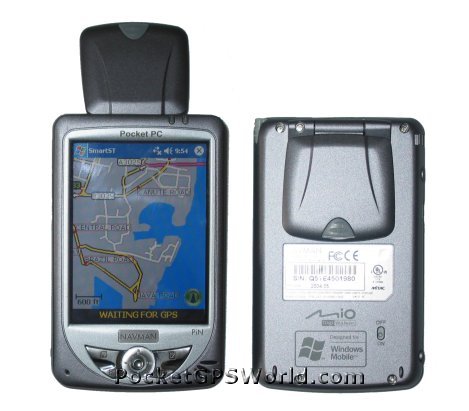
The PiN 100 is a Pocket PC, make no mistake. The PiN comes with a 3.5" Colour transflective LCD screen, a PXA-255 MHz processor and 64mb RAM. Supporting USB 1.1 (not USB 2.0), and running Windows Mobile 2003 Operating System, the PiN equals most current Pocket PC's on the market today with one exception. It has a built-in, flip-up antenna. The Mitac Mio 168 and PiN 100 were the first Pocket PC's on the market to have this built-in GPS antenna. Navman first started out in the PDA market with GPS Sleeves for the Compaq iPAQ 3600 series, and have moved on since then, but this sees Navman going back to their roots in offering not just a sleeve, but a PDA with integrated GPS.
The PiN feels very light weight and because of this a little plasticy, but it's extremely robust and makes a good little Pocket PC. It's a PDA that can be carried in your shirt pocket due to it's size and weight and that makes it important.
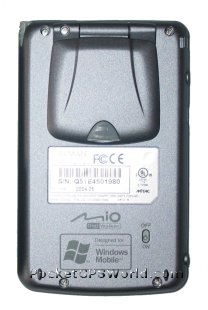 The only thing the PiN is missing is a CF Card Slot, but this really isn't required due to the built-in antenna and as the prices of SD storage cards are so low. The PiN is being sold as a personal navigation device - not a drive-away solution I might add like it's new bigger brother the iCN510. Having maps of Western Europe on CD may also be an advantage. The only thing the PiN is missing is a CF Card Slot, but this really isn't required due to the built-in antenna and as the prices of SD storage cards are so low. The PiN is being sold as a personal navigation device - not a drive-away solution I might add like it's new bigger brother the iCN510. Having maps of Western Europe on CD may also be an advantage.
Software - SmartST Pro V2
The PiN 100 comes with CD's to provide coverage of Western Europe down to 16 European Countries including UK, Ireland, France, Germany, Italy, Belgium, Netherlands, Luxembourg, Austria, Switzerland, Portugal, Spain, Norway, Denmark, Finland, Sweden.
The main features of SmartST Pro V2 on the Pocket PC are:-
- Colourful 2D and 3D Maps
- Voice Guidance
- Safety Screen
- A to B Routing
- Toll Road Avoidance
|
Maps
The maps supplied in SmartST Pro V2 are 3D maps courtesy of TeleAtlas and are dated late 2003 / early 2004 which include:-
- Postcode Lookup Support
- Complete Journey Detail and Route Summary
- Improved Zoom facilities
- User defined avoid areas (New to the V2 program)
What's in the box ?
Software Installation
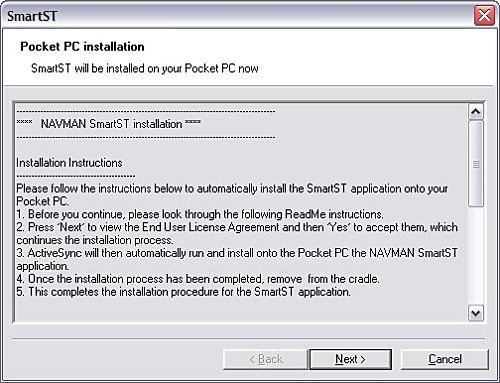
The software installation was exactly how I expected it to go and was identical to the original SmartST Pro V1 install. Following the on-screen prompts to install the Pocket PC version was simple.
Once the installation had completed of the core SmartST Software files had been transferred to the Pocket PC without a problem.
Map Installation
Installing the maps via the ActiveSync cradle was also easy to do. I was just able to fit the entire UK onto a 128mb card. If you wanted to leave out Ireland and Scotland for mainland UK users then this will come in at 98.1mb. If you're looking to load more than the UK then a 256mb SD card would be advantageous.
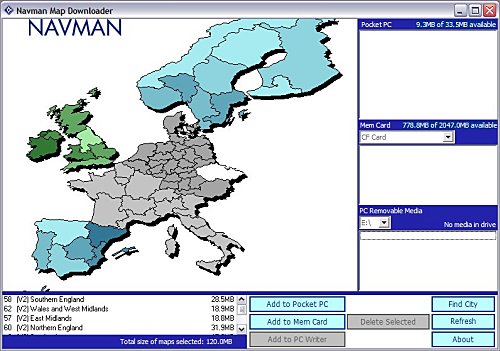
Activation
The reason for activation is that you are only licensed to install this software to one device and to thwart software piracy and pirates (donning the black eye patch) Navman are trying to make sure you adhere to this and activating a device is the best way to achieve this. It does mean that if you upgrade your Pocket PC in the future that you may not be able to activate the software and you will need to contact Navman. In the past Navman have usually give 2 to 3 grace activations as they are aware people do change devices on a somewhat regular basis (at least once or twice a year) and this should help in activation for legitimate users.
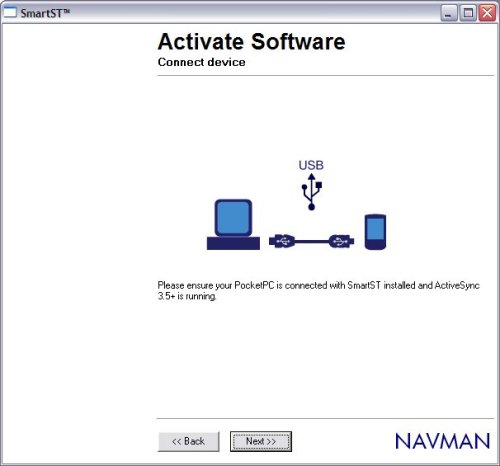
Activation usually is fairly painless but as you will see from time to time glitches and you may need to click BACK and NEXT a few times to re-connect if heavy traffic is being served by the activation server.
SmartST Pro Software
First of all when you run up the software each time you will be greeted with the Navman loading screen followed shortly after by the Legal Notice screen which basically tells you, that you shouldn't be operating it whilst driving. Something new that you will see is that you now have a progress bar on loading which shows which maps are being loaded into memory. You can select/deselect these maps later.
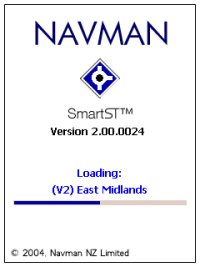 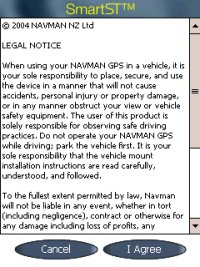
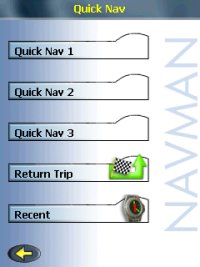
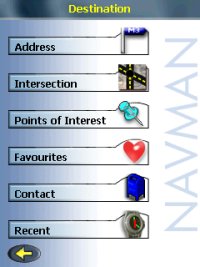
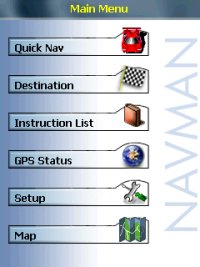 Once you Agree to the Legal Notice screen you will be greeted by the menu structure. Once you Agree to the Legal Notice screen you will be greeted by the menu structure.
It should be said that the software like the Navman 4410 Pocket PC software is not locked to any GPS Receiver. I tested this with a number of different Bluetooth GPS Receivers, and you do have the option of selecting Serial and Bluetooth and the ability to create a GPS log file for troubleshooting that can be sent to Navman for diagnostic.
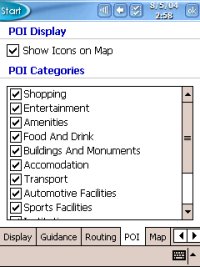
POI's include:-
- Accommodation
- Amenities
- Automotive Facilities
- Buildings and Monuments
- Entertainment
- Financial Services
- Food and Drink
- Institutions
- Medical Services
- Natural Attractions
- Shopping
- Sports Facilities
- Transport
Menus
In the Menu's you have the ability to set the colour scheme and day/night settings, default 3D angle and much more.
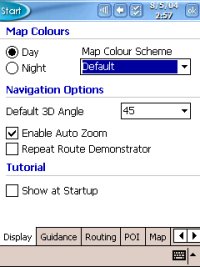 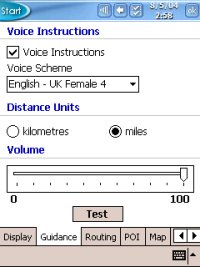
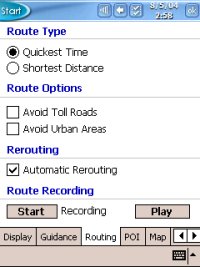 
Map Screen
Once you have configured all of the settings to your preference, you can then go to the MAP screen and zoom in and out and pan around the screen.
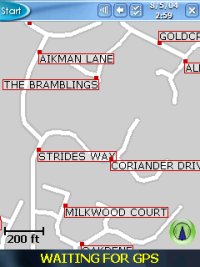 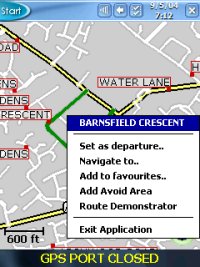
Tapping and holding a particular road will then create the popup window you see in the second image above which shows the Road Name and also allows you to choose this as your departure, destination, add it to favourites, cancel route (if one is set) and route demonstrator. Navman don't allow you to zoom out entirely to a country view so you will be limited in how far you can zoom out and if you want to look at another area of the country you may have to resort to panning around the screen alot until you find the area you are familiar with or try and search for the place in the destination menu.
3D View
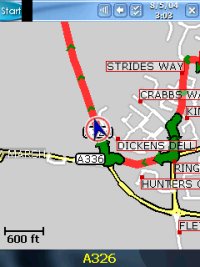
Navman have included a 3D view, this can be seen in the two screen shots below. You can customise this but can only do this from within the setup menu structure.
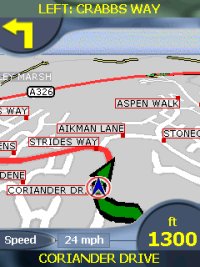 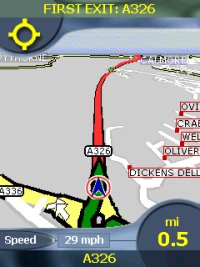
A comparison between 2D and 3D views can be seen below. You can definitely see the advantage of a 3D screen being able to see quite a distance ahead of your current position.
Safety Screen
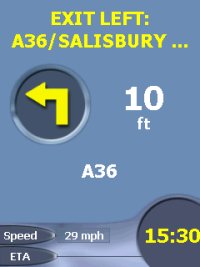
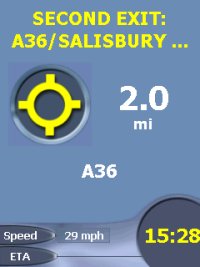
Most applications now employ what is called a Safety Screen. It's a screen that is either selectable or is selected automatically depending on speed. Navman's is user selectable but gives you minimal information (without map) and still provides Voice Instructions and turn by turn information.
Speaker
The integrated speaker on most Pocket PC's isn't that loud and can mean that you won't hear the audible directions on motorways or if you have a lot of road noise, or are listening to the Radio or CD/Cassette.
Data (Searching for Addresses)
Unfortunately this is where TeleAtlas data really falls down and we have seen this before under TomTom Navigator 1 / 2 /3and recently in Navman's iCN630 V2 and Palm Versions.
Searching for multiple roads would come back with no entry. This happens if you try to search using Country, City, Country, then road. If you search by just using Country, City then Road then all be fine. Several roads in the Southampton area that could not be found when searching for them within Southampton are:-
- Barnes Road
- Somerset Avenue
- Bitterne Road
- Bursledon Road
- Thomas Lewis Way
- The Avenue
- Mountbatten Way
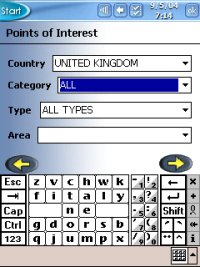 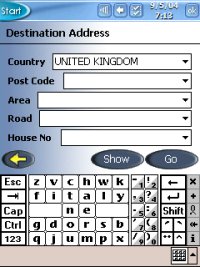
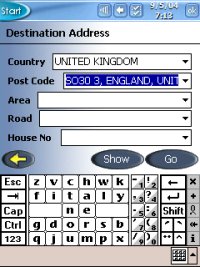 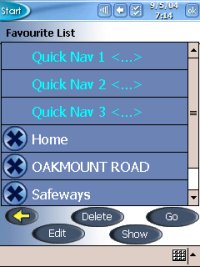
This isn't a major problem, you just need to be made aware that you will sometimes have to search differently on some road names to get a result. You will also find that if you do use the City field you may see several selections. Choose the one which shows City, Country rather than City, County, Country and this will also work.
- Southampton, Hampshire, England, United Kingdom
- Southampton, England, United Kingdom
- Poole, Dorset, England, United Kingdom
- Poole, England, United Kingdom
Route Avoidance
In the Pocket PC version you can set an area of the map to avoid for planning around a specific area that might have roadwork's or accidents, or even if you just don't want to drive through a particular place of a town.
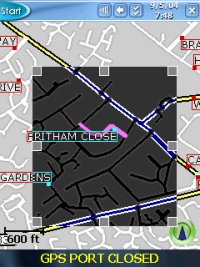 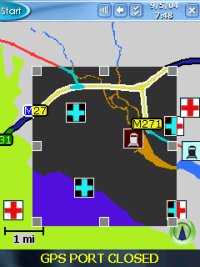
There are also Route Avoidance settings like:-
- Avoid Toll Roads
- Avoid Urban Areas
Route Algorithm
As with the iCN630 V2 version we have recently reviewed, there are issues with the routing algorithms that are in the iCN630V2 and these do differ from that of the original iCN630. Planning routes from various locations we found rather than staying on a motorway, the Pocket PC version would veer off and go through a major town which is neither the shortest, or quickest or most direct route to destination. It will still get you to your destination but you may end up being hit by more traffic than anticipated when it routes you through town centres.
Technical Specifications
| Cold TTFF |
45 secs |
| Warm TTFF |
38 secs |
| Hot TTFF |
8 secs |
| Accuracy |
5 meters (typically 95% of the time) |
| Interface |
NMEA 0183 Out (Bluetooth) |
| Physical Size |
3.7 x 2.4 x 1.0 in (95mm x 62mm x 26mm) |
| Weight |
7.9 oz / 223g (no batteries, without base) |
| Ext Power Source |
5.0 V DC to the HP iPAQ™ via Navman vehicle power cable |
| Battery Life |
30 hours quoted |
| Map Data |
TeleAtlas support for Western European Countries |
Navman SmartST Pro for Pocket PC Advantages
Navman SmartST Pro for Pocket PC Disadvantages
Comparing the PiN 100 to the new iCN510
Below you will see some photos comparing the PiN 100/300 to the new iCN510. You can see both are approximately the same size although the iCN510 is a little thicker and longer than the PiN.
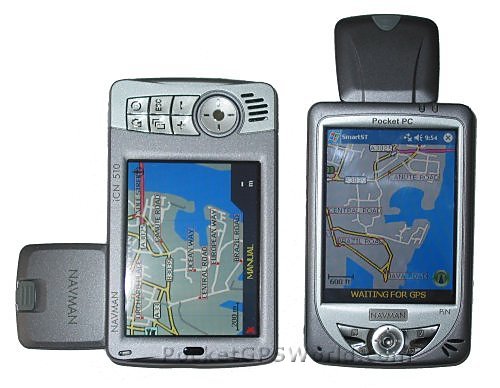
As you can see, the same look and feel in terms of the case ergonomics have been kept between the PiN and the new iCN510, the main difference is the PiN has a portrait look and the iCN510 more of a landscape look.
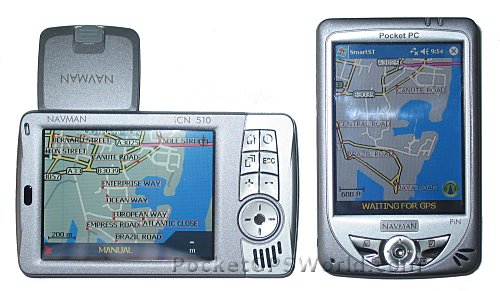
The iCN510 comes pre-installed ready to go and drive-away where as the PiN 100 has to be installed to like a regular Pocket PC using the supplied CD's of Western Europe.
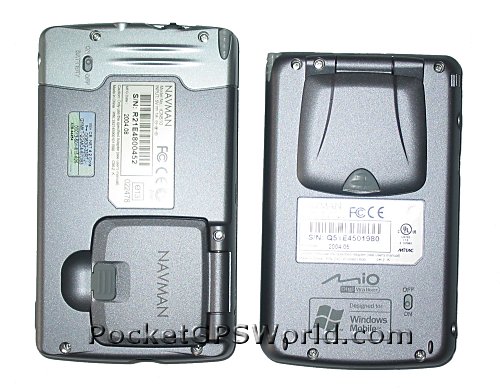
Problems Encountered
The PiN 100 is a nice light weight Pocket PC, coupled with Navman's re-tooling and SmartST Pro V2 Software, it's a good all round product. Unfortunately due to the release date of Navman's SmartST Pro V2, it did exclude support for the M6 Toll Road which is causing a lot of frustration amongst Navman users.
Pro's
- Great Light weight Pocket PC
- Integrated Flip-Up Antenna
- Fast TTFF's
- V2 Software with European Maps
Con's
- No Support for M6 Toll Road
- Routing Algorithm's aren't perfect
Conclusion
Navman have included some nice new features here in their V2 software, and have a very attractive looking Pocket PC with integrated antenna but there are problems due to the TeleAtlas database in searching for roads and it may take longer than normal to find the destination you require.
The new maps include 3D support and Postcode (up to 5 digits for UK) and the improved zoom options. The PiN 100 is a nice looking Pocket PC and bundled with the V2 Navman software is an attractive little package.
The Recommended Retail Price at time of writing review was £399.
|