 Reviewed by Darren Griffin Reviewed by Darren Griffin
Brodit Part Number:
Active Mount: 215268
Passive Mount: 215267
Introduction
We are huge fans of Brodit mounts here at PocketGPSWorld.com and don't try to hide it! Take a peek inside the cars of any of the team or moderators and the chances are you will find a Brodit Cradle and ProClip. Why? Well quite apart from hating the windscreen suction mounts that manufacturers supply, they offer the best solution available for mounting a PDA or PND in your car in a secure and easy to use cradle. Indeed Brodit offer cradles for many more applications such as MP3 players, 2-Way radios to name a few. Coupled with the correct ProClip which is a vehicle specific dash mount solution, a Brodit installation offers a 'No Holes' fitting that looks like an OEM product.
Here we are reviewing the recently released 'Active' Mount for TomTom's x20 range which includes the GO 520 and 720 and will also include the soon to be released TomTom 920. Our thanks go to DSL Developments the UK Retailer of Brodit Mounting Solutions for supplying the review mount.
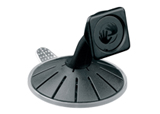
Out of the box TomTom supply a rather basic mount shown in the image below. Whilst this works it is somewhat fiddly to use, it is hard to attach the device to, suffers from droop where the device tilts down slowly as you drive and occasionally falls off the windscreen as do all suction mount solutions.
As a passive mount with no power connectors built-in it also means you have to reconnect power to the bottom of the device each time you connect it. Another issue for owners of cars that have steeply raked windscreens such as many MPV's is that the mounting arm is too short resulting in the GO fouling the windscreen as well as being too far away from the driver to operate easily.
Solution
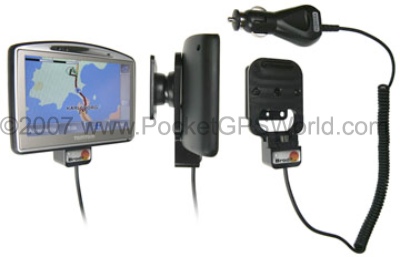
Brodit have three mounts for the x20 range, a basic non-powered mount and two active mounts. One having a cigarette lighter plug and the other being intended for hard wiring into the vehicle. We have chosen to test the 'Active' version with the cigarette lighter plug.
In common with every Brodit mount, it is intended to be connected to a ProClip but it could also be affixed directly to a dash surface etc if you so desired. The mount comes ready built in a single part with attached power cable and is a low profile cradle that is inconspicuous when installed.
Installation
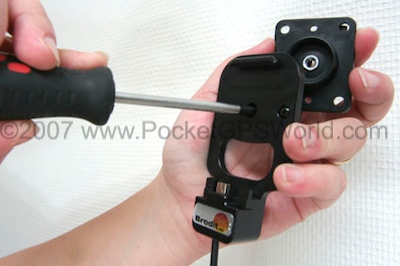 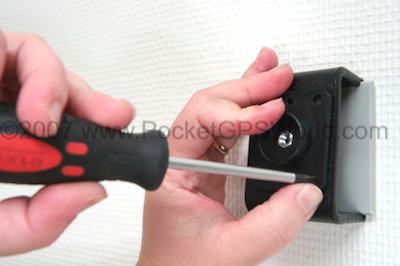
- Loosen the screw in the centre of the holder and then remove the tilt swivel mount plate on the back. Locate the mount plate in your chosen position. In this example we are attaching the mount to a Brodit ProClip.
- Place the mount plate in the desired position and then screw into place using the supplied screws. It may be easier to mark the mounting location and drill small pilot holes to aid in inserting the screws
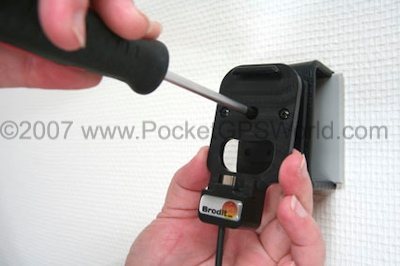 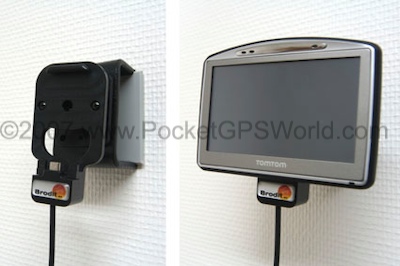
- Place the holder over the mount plate and affix using the screw removed in step 1. Tighten the screw so that there is sufficient friction to prevent the mount from moving unintentionally but not so much that you cannot swivel as desired.
In Use
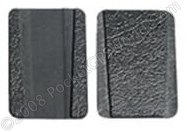
In my specific installation below I have chosen not to use screws but have instead used Brodit's Move Clip system (available separately). This is a two part self adhesive solution that allows a mount to be attached to the ProClip without screws and more importantly it can be quickly and easily removed. It is useful for me because it allows me to change cradles as needed but most importantly it allows the cradle to be removed to prevent theft. One part is affixed to the cradle and the other to the mount. A wedge shaped interlocking system ensures the two parts are attached securely but can be separated easily when desired.
You will also note in my installation that I am using Brodit's Land Rover Discovery A-Post ProClip which provides a very convenient location for devices. In common with every other Brodit cradle we have tested the unit is manufactured to a very high standard in ABS plastic and comes with a moulded Brodit badge.
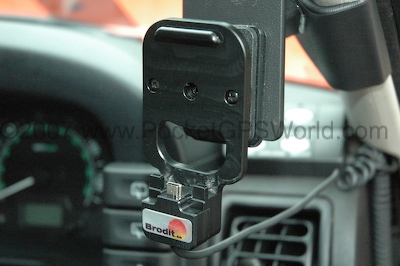
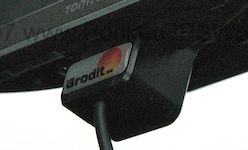
With the GO removed, the mount is unobtrusive.
I found it very simple to attach the GO to the cradle, certainly easier than the TomTom supplied mount. It docks positively and connects to power simply. Two small lugs, one either side of the mini-USB plug locate into slots on the base of the x20. The power cable is approx 1.5m long and of the curly type with a fused cigarette lighter plug
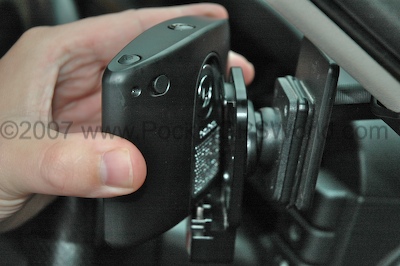
Affixing the x20 is very simply. Place flat against the mount centrally and slide down until the mini-USB plug connects.
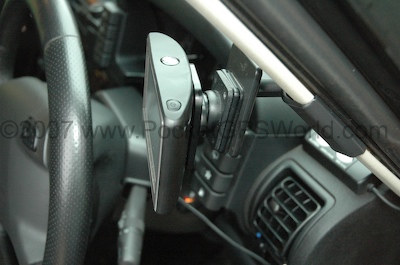
When fitted the cradle allows a useful degree of movement thanks to the tilt and swivel mount. Crucially it is rock solid when installed, no vibration or bounce is experienced and it is as easy to remove as it is to install. If you use the Move Clip solution explained above you can remove the entire mount in seconds leaving only the proClip. This is anonymous enough to leave in the car without drawing the attention of thieves.
Conclusion
Another winning design from Brodit, at £24.99 for the unpowered passive version and £34.98 for the active version reviewed here it is good value for money. I have mounts that I have been using for some years, when I change cars I just but a new ProClip and re-use the existing mount. I've never heard of one breaking and have yet to find a better solution to mount a device in-car.
Addendum
Following the initial review we approached Brodit with a view to including support for the TMC Receiver. As ever Brodit were quick to come up with a solution and they now have a 'T' version, Part Number 273006 with Cigarette Lighter Plug and Number 274006 with straight cable for fixed installation.
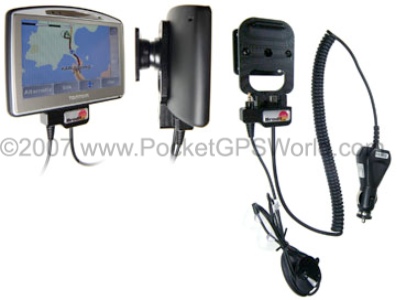
The mount has a 'U' shaped cut-out that allows the TMC Antenna plug to be clipped into place. The 'U' channelhas a recess that matches ribs on the TMC connector and so holds the connector securely in place. It is a neat solution that also means it can be removed without tools when required.
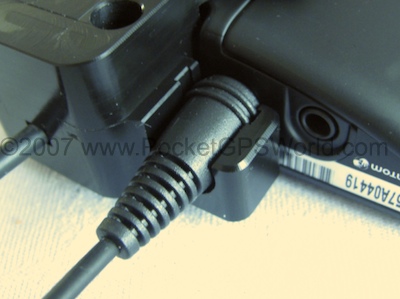
Rear of cradle showing TMC Antenna Plug in place and docked
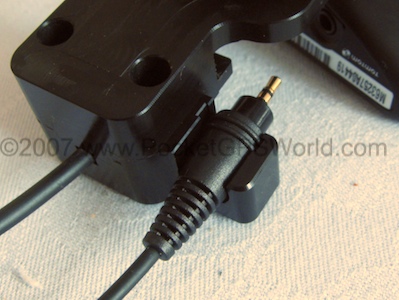
Rear of cradle showing TMC Antenna Plug in place undocked
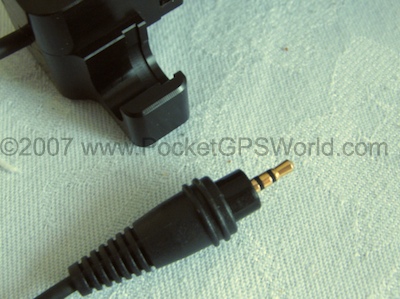
Close-Up showing grooved 'U' channlcradle which mates with ribs on TMC plug
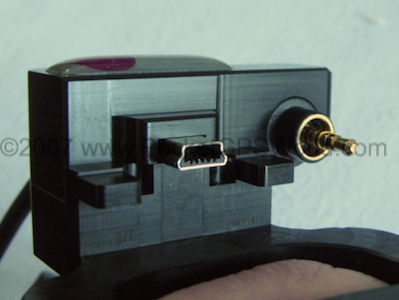
Top view of cradle with TMC antenna connected
Review Cradle Supplied By:

|
































